 tadori
See early starts and delays side by side
In practice, detailed design or implementation often starts before basic design is fully done. That isn't bad in itself, but if you can't see which work is moving ahead without waiting for the previous phase gate, you can't judge what a send-back will affect.
- Situation
- Basic design is still sent back from review (R2 pending approval)
- What you see
- Detailed design, implementation and integration testing marked “started before the basic design phase gate”, with days overdue
- What is not shown
- Progress percentages or scores
1. WBS tasks set each phase's period
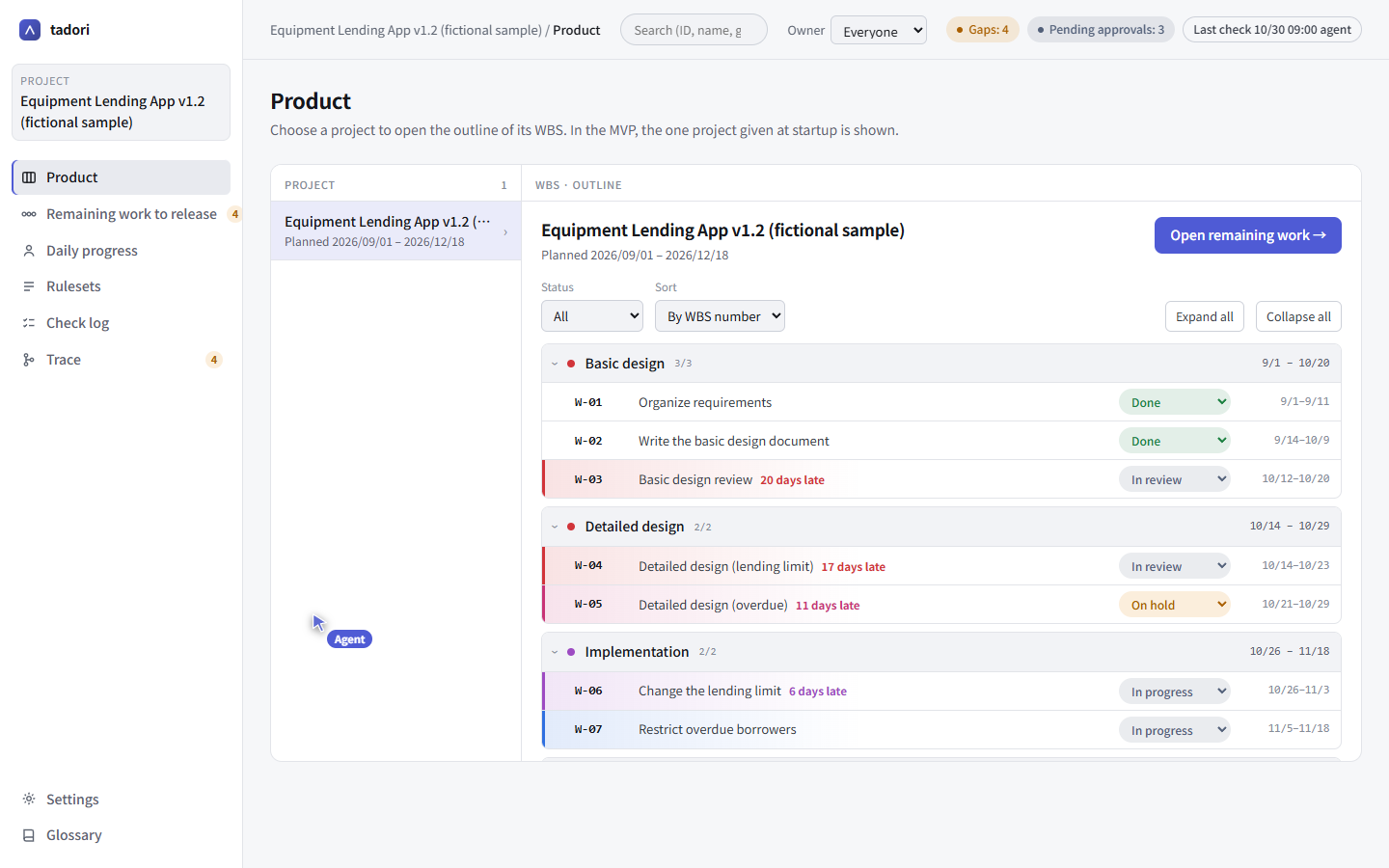
Each task in the WBS (ledger/wbs.tsv) has a phase, start date, end date and status. tadori rolls them up into a period per phase and shows which tasks are active now.
On the product screen you can expand and collapse the tasks by phase.
2. Work that didn't wait for the previous phase gate gets marked
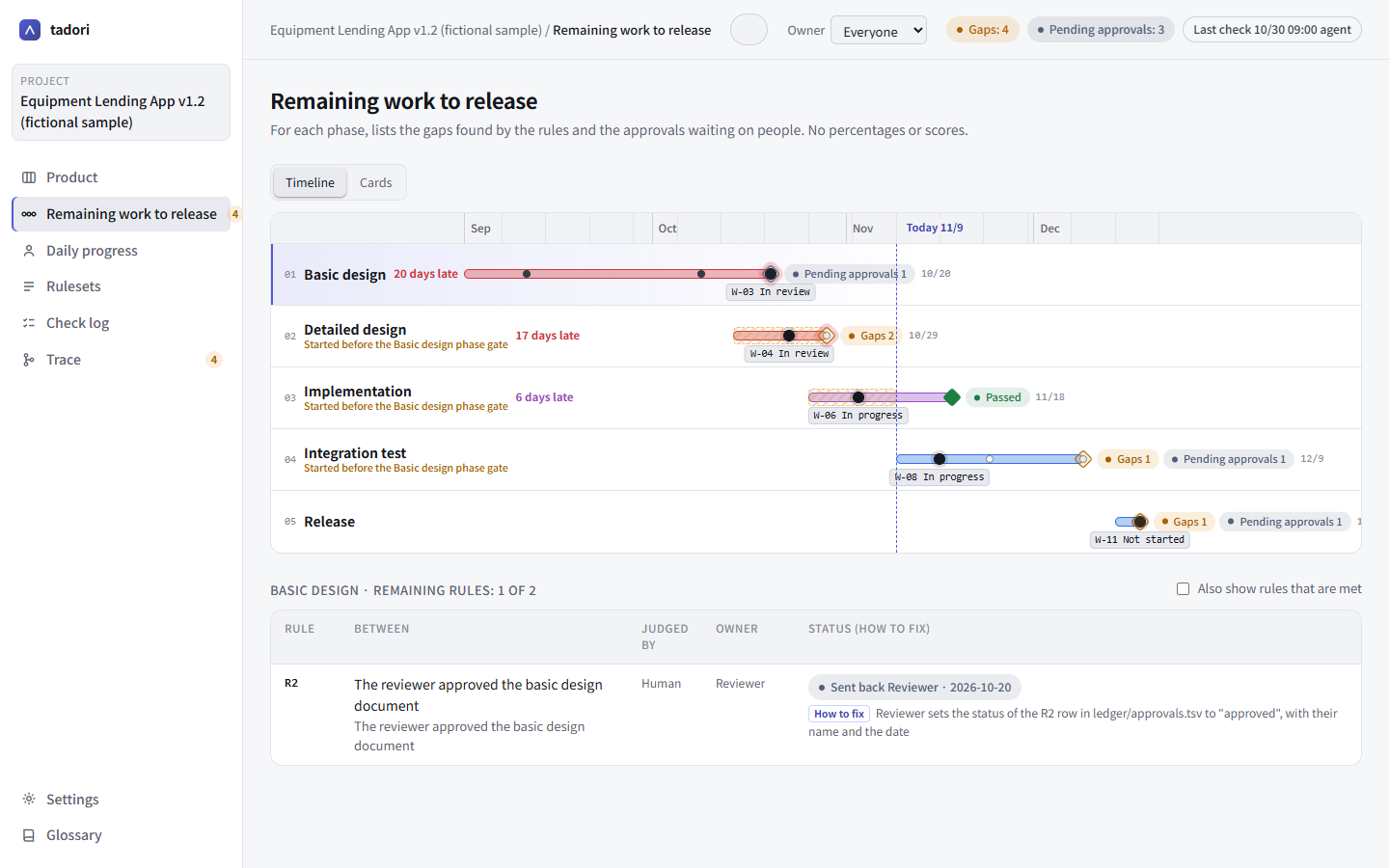
The basic design phase gate (R2: the reviewer approved the basic design document) is still sent back. Even so, tasks in detailed design, implementation and integration testing have started, so those three phases are marked “started before the basic design phase gate”. On the timeline, those periods are hatched.
3. Delays are shown in days
A delay is the number of days past the planned end date, and its color shifts from blue to red as the days add up. There is no “x% complete”. That way nobody adds tasks or rows just to push a percentage up.
4. Clear the send-back and the marks disappear
When the reviewer sets the R2 row in ledger/approvals.tsv to “approved” (with a name and date), the basic design phase gate passes and the marks on the later phases disappear.
Approval is done by a person. Neither tadori nor agents have a way to approve.
rule	status	who	when
R2	approved	Reviewer	2026-11-10