 tadori
See the remaining work to release
through its links.
tadori is a ledger on git that links every sentence of a spec to its test cases, test runs, findings and preventive actions — by ID. Per-phase rules show where a link is missing (a gap), and tell you who should write what, in which line of which file, to close it.
Free, MIT license. Requires Node.js 22 or later. Your data stays in TSV files on your machine and is never sent anywhere.
The records exist. The links only live in people's heads.
When a defect slips through, explaining “could we have caught it back then?” and “why didn't testing find it?” means digging through design documents, test specs, issue tickets and reviews. tadori links those records by ID and, at the end of each phase, lists what is blocking the phase gate — the call that this phase can be considered done.
- Links come from IDs onlyItems are linked by the IDs written in the ledger. Nothing is linked by guesswork.
- People confirm the gapstadori stops at listing the gaps. Approvals and test results are written by people.
- No percentages or scoresOnly facts: what the gaps are, pending approvals, statuses and days overdue.
- No new source of truthDesign documents and test sheets stay in their own tools. The ledger only records where they are.
- TSV on gitReadable without tadori. Changes are kept as commits, and people push after checking them.
- Runs locallyThe screen opens only on your machine (127.0.0.1). No syncing with outside services.
What is blocking each phase gate, and how to fix it
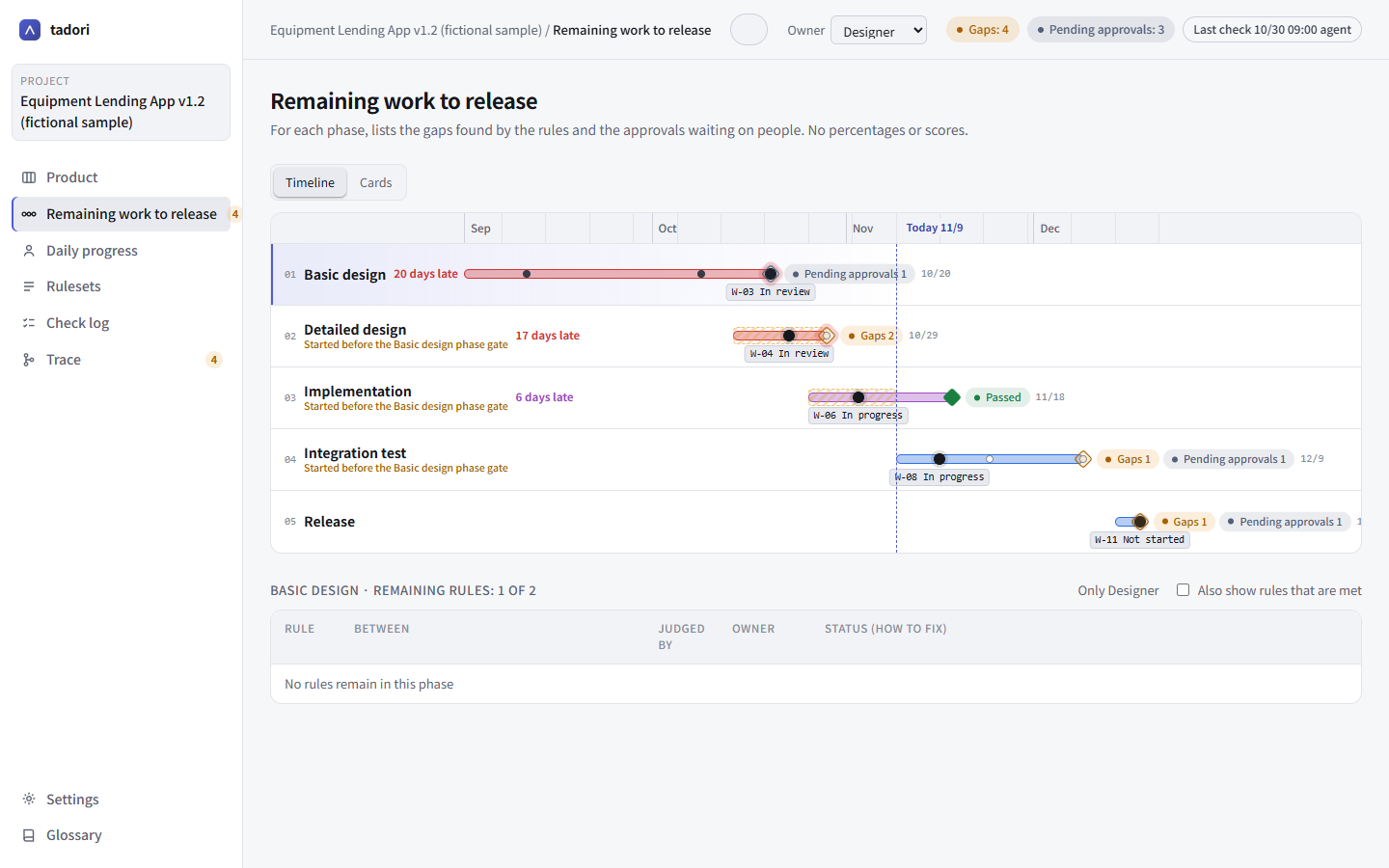
Remaining work to release
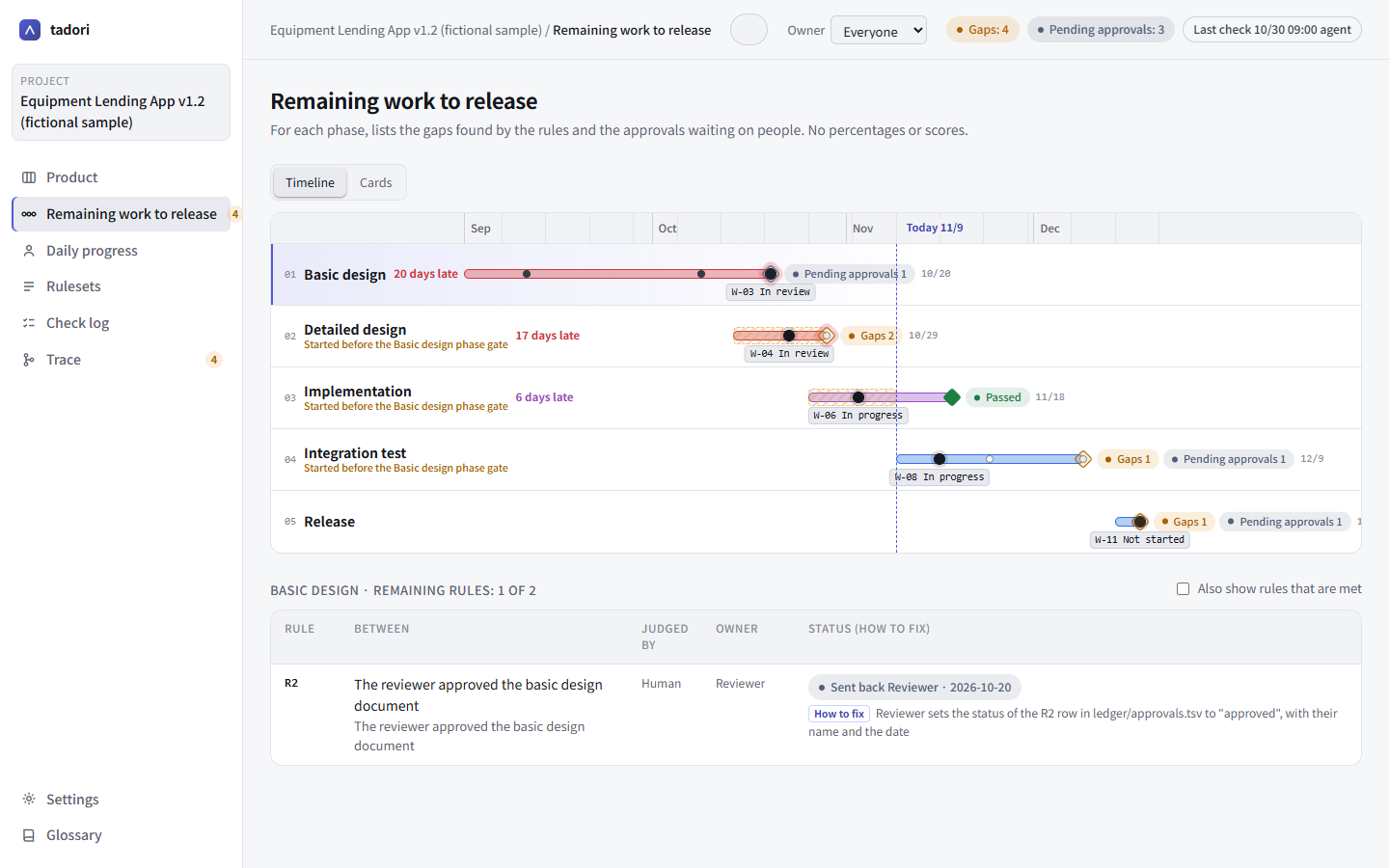
For each phase, tadori lists the gaps found by its rules and the pending approvals waiting on people. The timeline shows at a glance the planned periods, the current tasks, days overdue, and phases that started before the previous phase gate.
- Define the phases freely for each company or product
- Projects without a schedule get a card view that just shows the phases
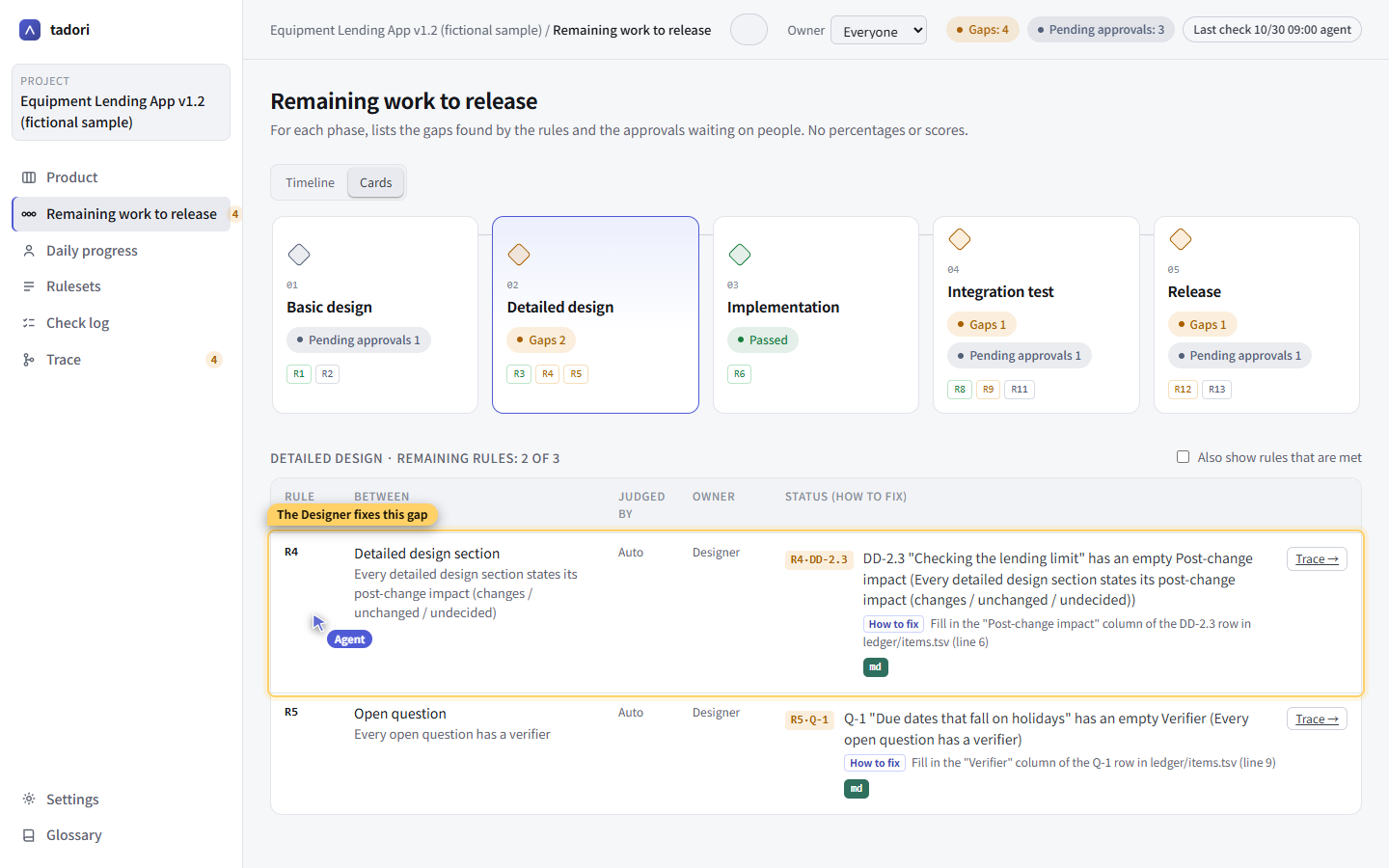
An owner and a fix for every gap
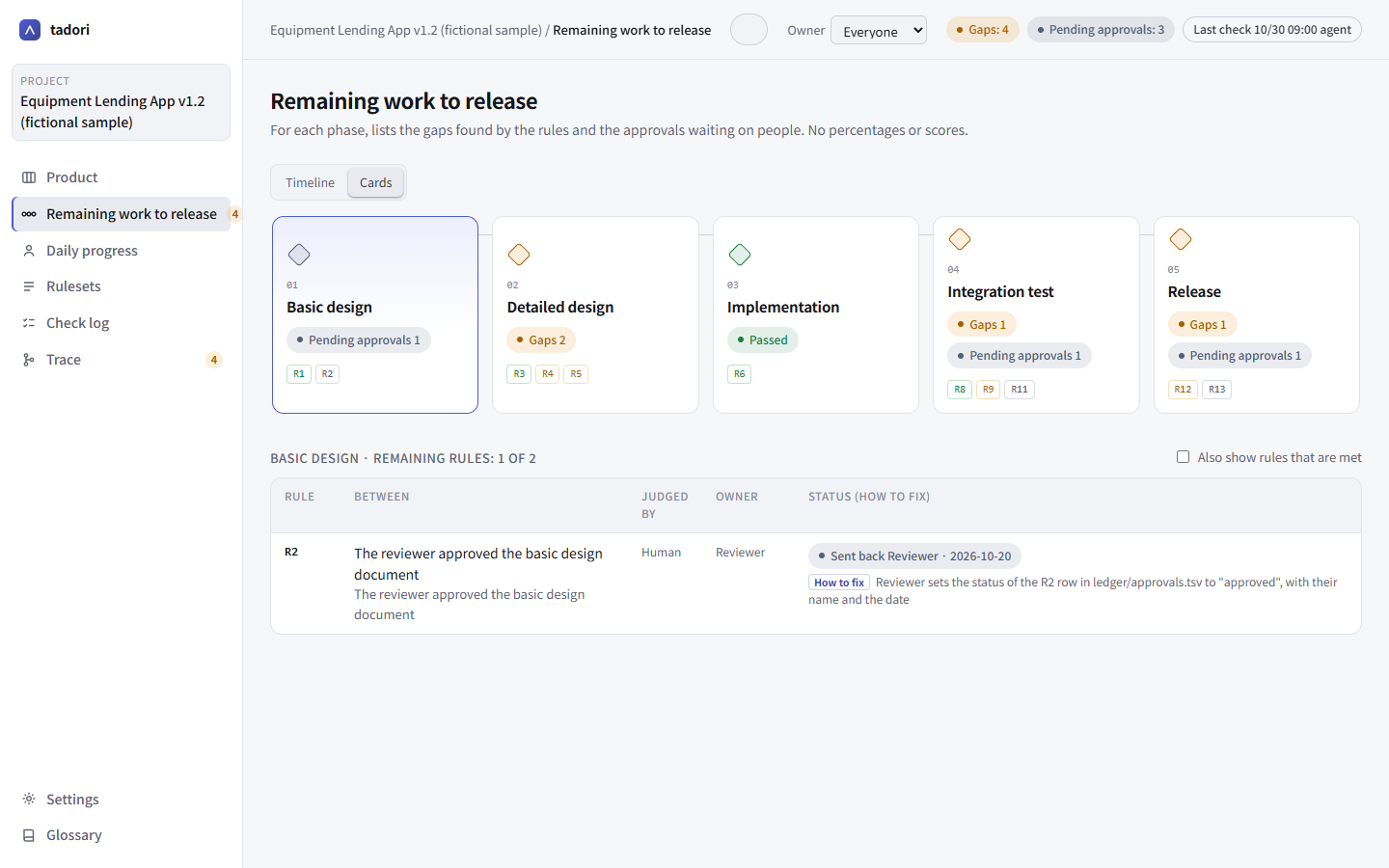
For each gap, such as “TC-07 has no test run linked to it”, tadori shows the owner and what to write in which column of which line of which file to close it.
The md / qa icons open the original spec in md-business, or run the test case in git-qa (once you configure the URL templates).
Trace
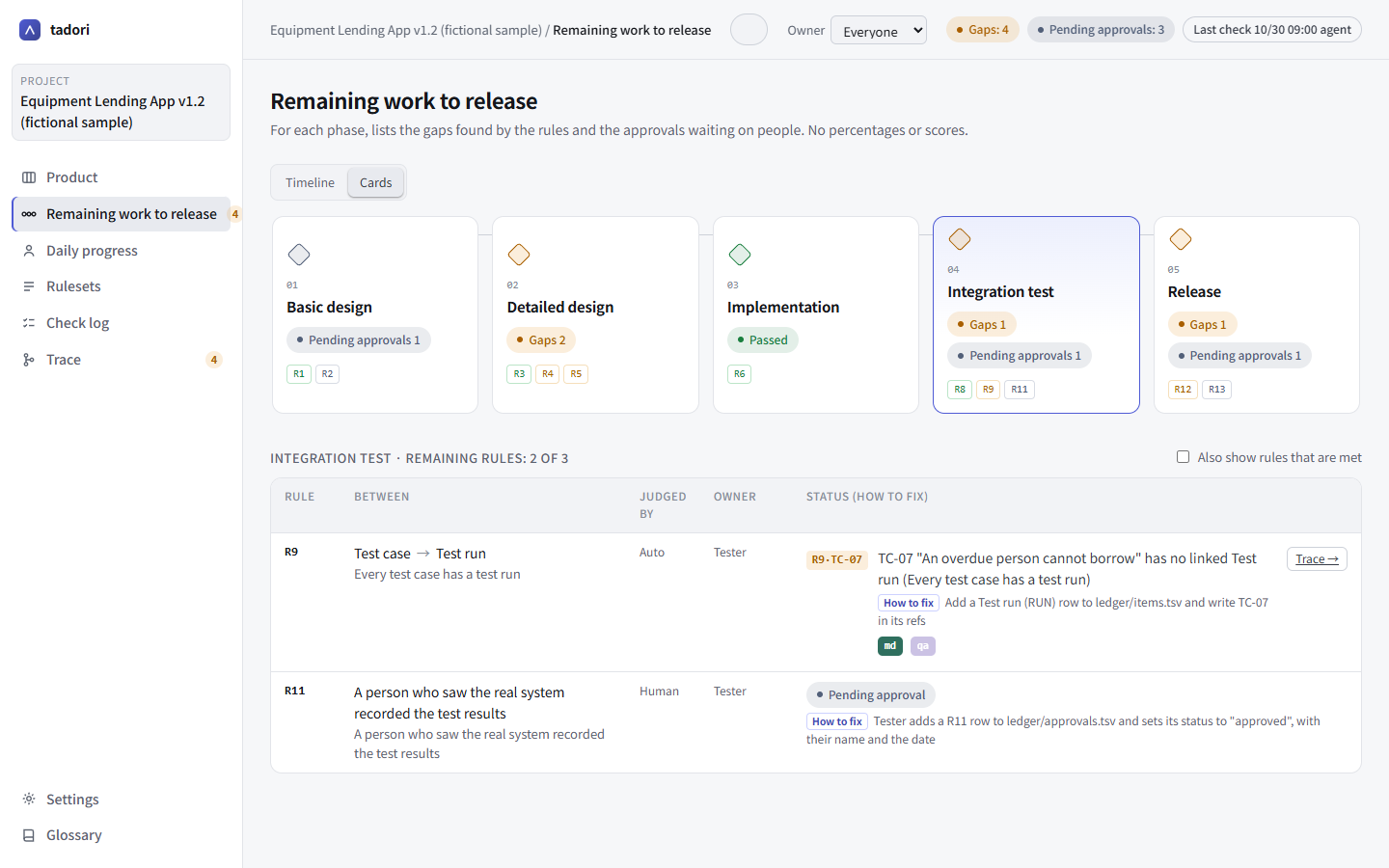
Starting from a finding raised in acceptance testing, tadori lines up everything upstream and downstream in phase order — test case, test viewpoint, detailed design, basic design, WBS task. Broken links are red; links that were gaps in an earlier check and are now fixed are marked “resolved”.
In a meeting, just share a URL like #trace-F-02 and everyone looks at the same chain.
A ruleset per phase
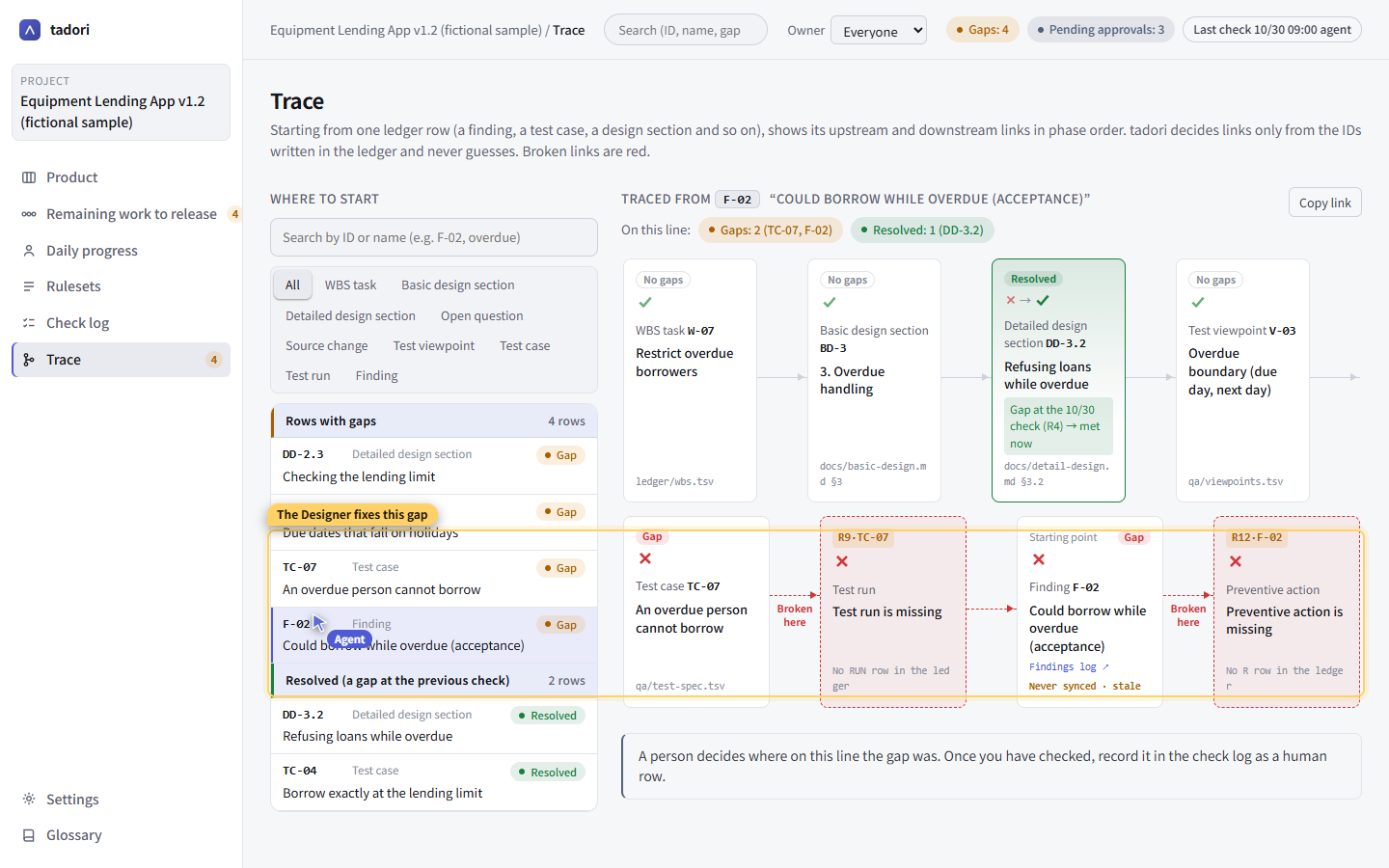
Rules such as “every test viewpoint has a test case” or “every detailed design section states its post-change impact” are kept in TSV, per phase. There are four kinds of check: has something downstream, is based on something upstream, a column is filled, and human approval.
Agents write the rules; people read and verify them on screen. Even past 1,000 rows you can follow them with search, filters and sorting.
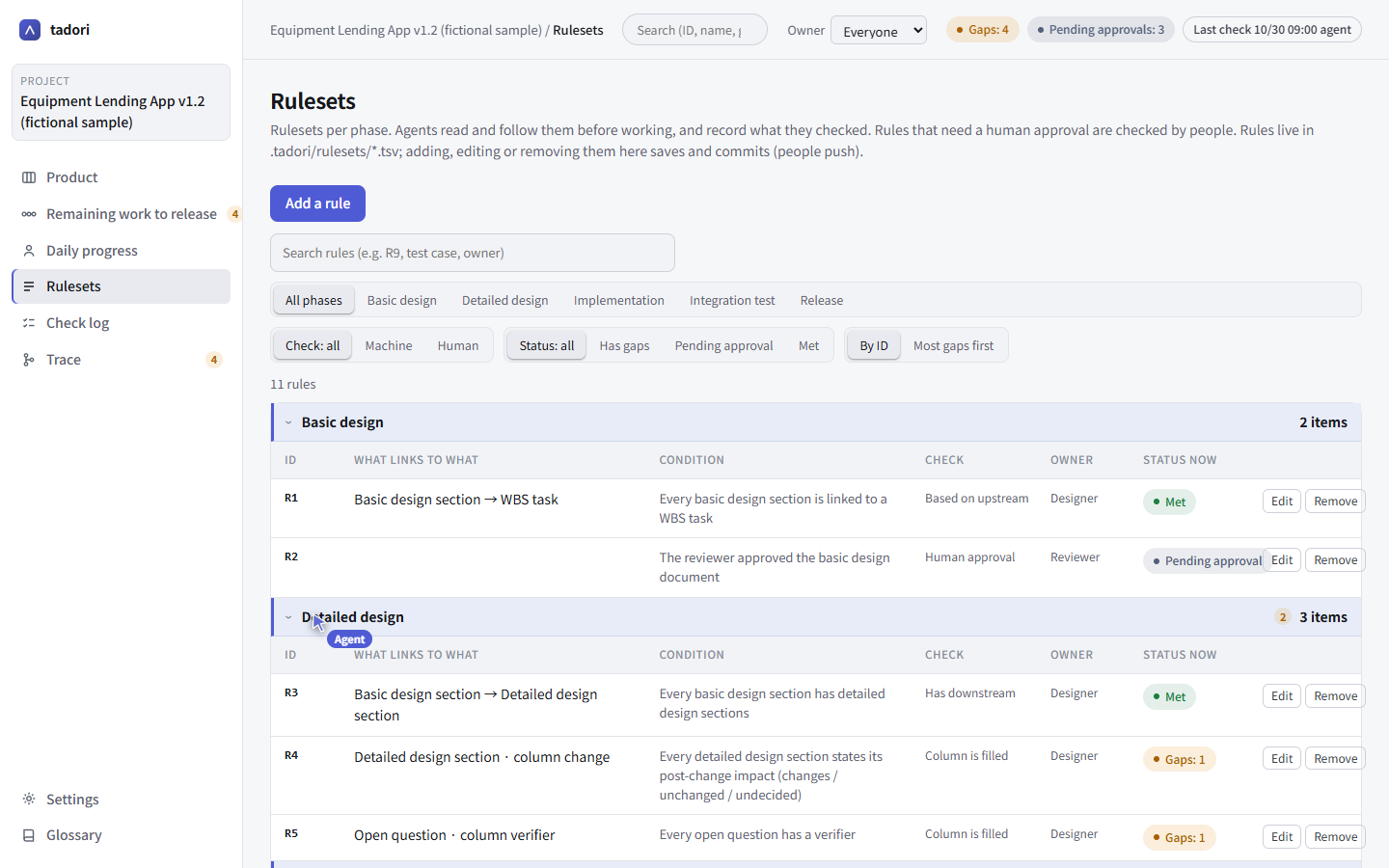
Agents guide you by pointing at the screen
Through MCP tools, an AI agent can read the usage guide, the remaining work, the gaps and the links. When it guides you, it points with its own agent cursor inside the app, with a yellow frame and a short note.
It never uses your mouse. While the agent is working, you can use the same screen with your own mouse.
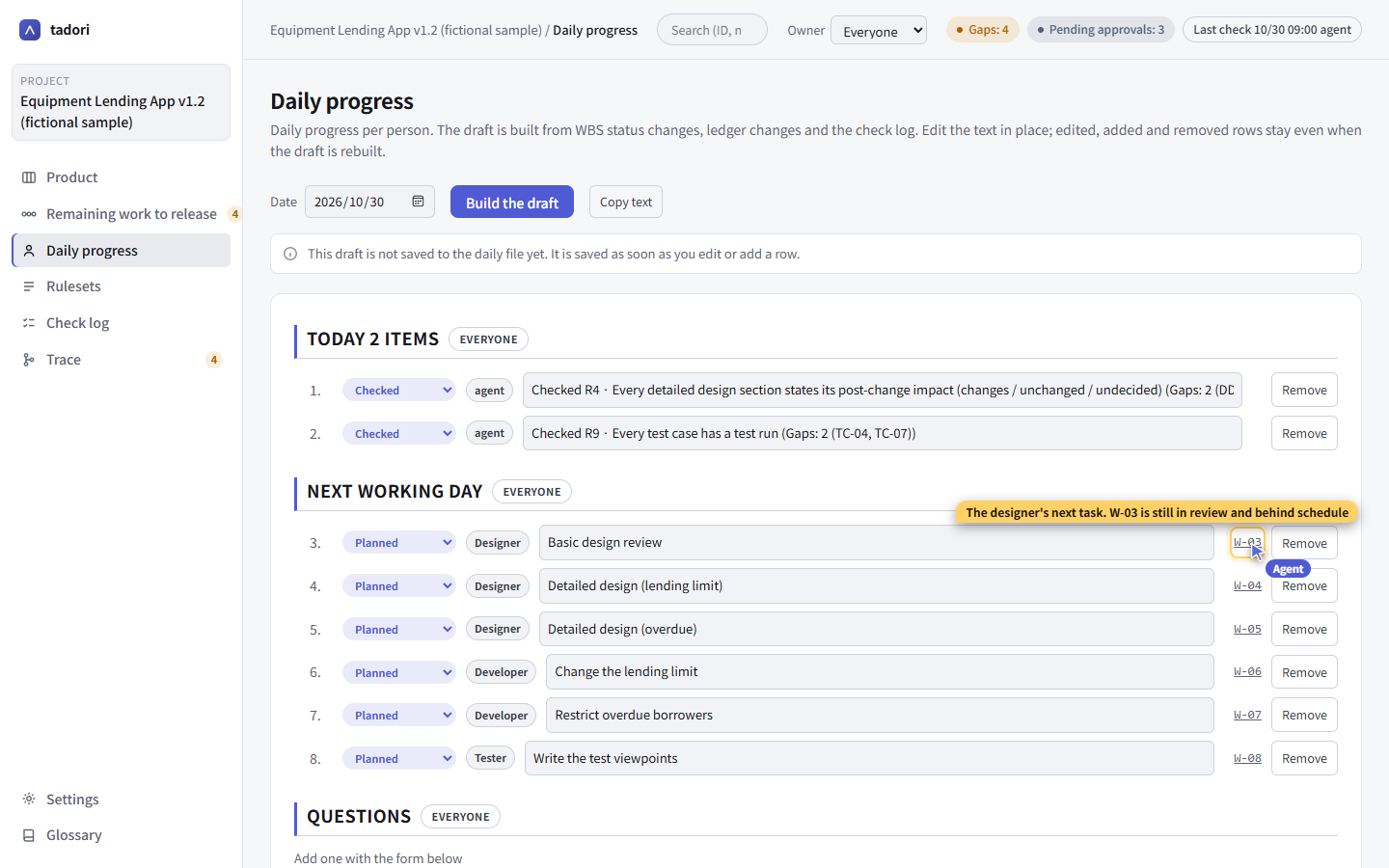
Daily progress per person, with your agent
From WBS status changes, ledger diffs and the check log, tadori drafts “today / next working day / questions” for each person. Alongside the product-level remaining work, you can see things per person.
Each person views a screen filtered to their own work and gets on with it together with their own agent. Rows are added, edited and tasks moved forward through MCP tools, and the agent explains by pointing at the screen with its cursor.
- “Copy text” gives you text ready to paste into the morning or evening stand-up
- Rows you edited or added survive when the draft is regenerated
Light and dark
Light is the default, since it is easier to share in meetings. You can also choose dark or “follow the OS”. The choice applies only to that machine.
When another app (such as md-business) or a git pull changes the ledger, the screen redraws on the spot.
Where tadori helps, shown on a fictional project
Every case is reproduced on the fictional “Equipment Lending App, revision 1.2”. No data from real projects is used.
Missing post-change impact
Find detailed design sections that don't say whether they change — down to the line number.
Read the case →
Trace from an acceptance finding
From “an overdue user could still borrow” to a test case that was never run.
Read the case →
Starting before the previous phase is done
See detailed design underway while basic design is still sent back, next to the delays.
Read the case →
Let an agent guide you
The agent reads through MCP and explains to a newcomer while pointing with its cursor.
Read the case →
Run daily progress with an agent
Draft each person's day from the records, and work through it with an agent.
Read the case →Four steps to bring it into your project
Install
Get the installer for your OS and CPU from the download page (Node.js 22 or later is required).
Start
Choose File › Start new… and pick your project folder. tadori puts templates for phases, statuses and the ledger there.
Write
Write phases, WBS tasks, ledger rows (an ID and what it is based on) and rules as TSV. You can also have an agent write them.
Look
Check the gaps and their fixes on the remaining work screen, fix them, and check again. Changes are kept as git commits.
Frequently asked questions
What does tadori do?
It links design sections, test cases, test runs, findings and more by ID, and uses per-phase rules to list the places where a link is missing (gaps). For each gap it shows who owns it and which line of which file to fill in to close it.
Where is my data stored? Is it sent anywhere?
In TSV files inside your project folder, managed with git. The screen opens only on your own machine (127.0.0.1) and never syncs with outside services.
Does tadori decide that a gap has been fixed?
No. tadori stops at listing the gaps. Confirming that a gap was really a gap, or that it is fixed, is up to a person. Approvals and test results are recorded by people too.
Does it show progress as percentages or scores?
No. Percentages invite rows that exist only to push the number up. tadori shows only facts: what the gaps are and how many, pending approvals, statuses and days overdue.
Can AI agents use it?
Yes. MCP tools let an agent read the usage guide, the remaining work, the gaps and the links. With its own agent cursor inside the app, an agent can point at the screen to guide you without touching your mouse.
What do I need to run it?
macOS (Apple silicon or Intel) or Windows (x64 or ARM) with Node.js 22 or later. The installers are free and the source is published under the MIT license.