IT and software
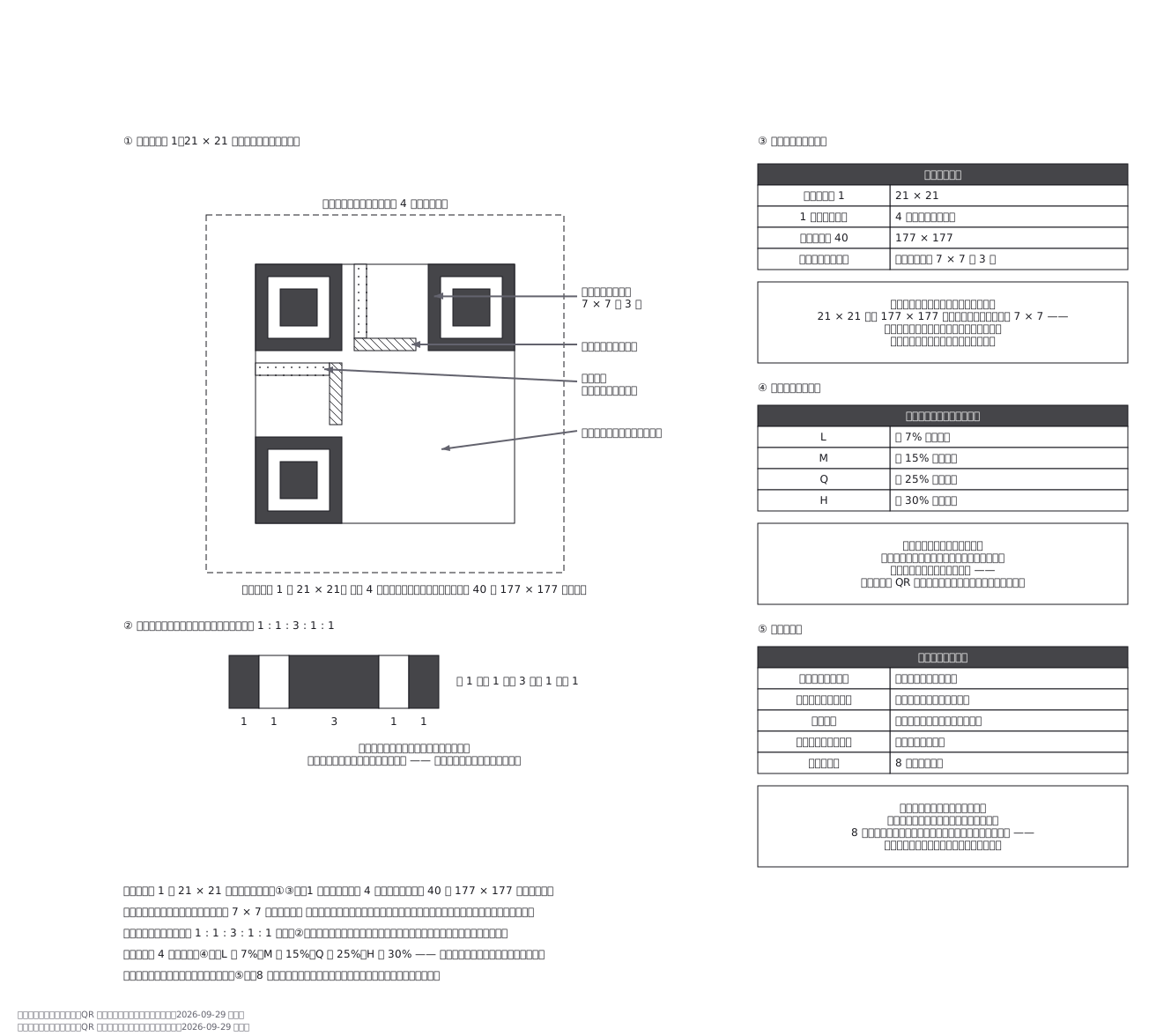
How a QR code is built (the finder squares stay the same size)
A QR code can be 21 modules across or 177, but the three finder squares stay 7 by 7 whatever the version — the thing you have to find first is always the same size, and its 1:1:3:1:1 run of black and white reads the same scanned sideways or diagonally, so orientation never has to be known in advance
This drawing comes from one YAML file. No shape was moved by hand.
Notes in the source (in Japanese)
バージョン 1 は 21 × 21 モジュール。 1 つ上がるごとに 4 増え、バージョン 40 で 177 × 177 になる。
大きくなっても、切り出しシンボルは 7 × 7 のまま。21 × 21 でも 177 × 177 でも 3 隅に同じ大きさで入っているので、型番を知らなくても読み始められる —— 先に見つけるものの大きさが一定であることが、この記号の設計の要。
切り出しシンボルの白黒比は 1 : 1 : 3 : 1 : 1。縦でも横でも斜めでも同じ比になるので、向きが分からないまま探せる。読み取りが速いのはこのため。
タイミングパターン(6 行目・6 列目)はモジュールの刻みを数えるためのもの。形式情報には誤り訂正レベルと、どのマスクを使ったかが書いてある。クワイエットゾーンは外周 4 モジュールの余白で、地と区別するために要る。
誤り訂正は 4 段階。 L が約 7%、M が約 15%、Q が約 25%、H が約 30% まで復元できる。強くすると、入る字が減る —— 同じ型番なら、復元できる割合が上がるほどデータに使える符号語が減る。
マスクは、模様を散らすため。 黒か白が固まると読み取りにくいので、8 種類の型で白黒を反転させて、いちばん散る型を選ぶ。
図はバージョン 1 の割り付けで、符号語(データと誤り訂正)の中身は描いていない。
出典:JIS X 0510(ISO/IEC 18004)、デンソーウェーブ「QR コードドットコム」https://www.qrcode.com/about/version.html ・ https://www.qrcode.com/about/error_correction.html (2026-09-29 取得)ISO/IEC 18004・JIS X 0510 の版は確かめていない。
Source (YAML)
examples/gallery/304-QRコードの作り.zumen.yaml
More in this field
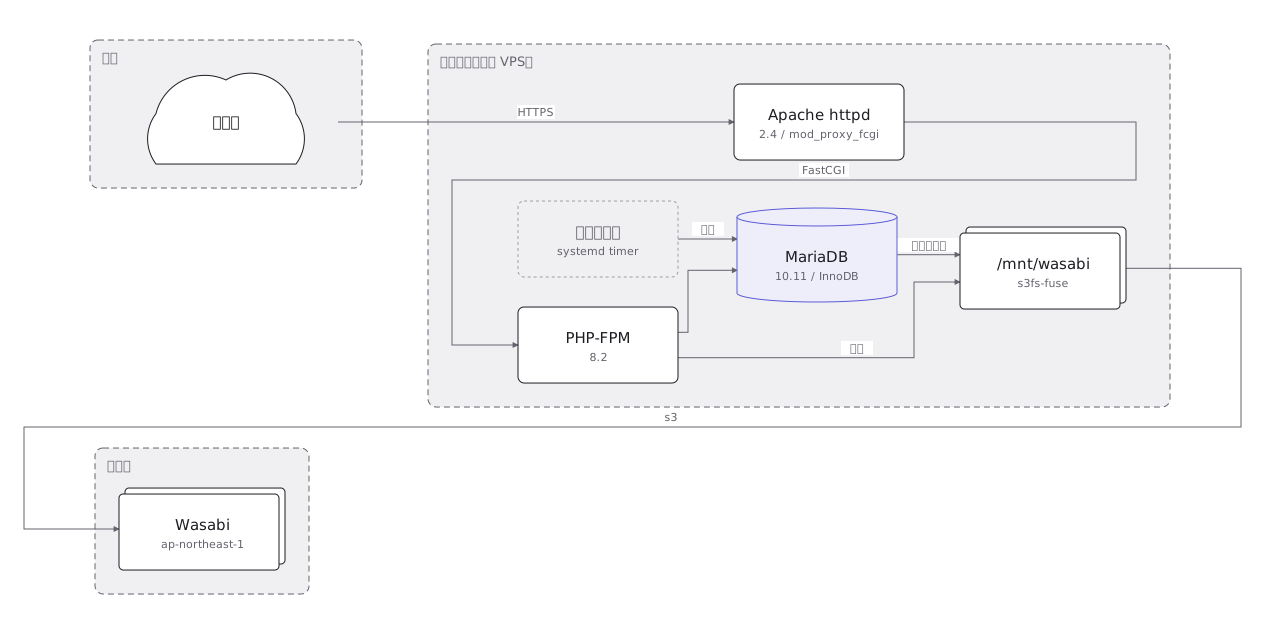 An on-premise server layout rack by rack, with the redundant power feeds and network links drawn as separate paths
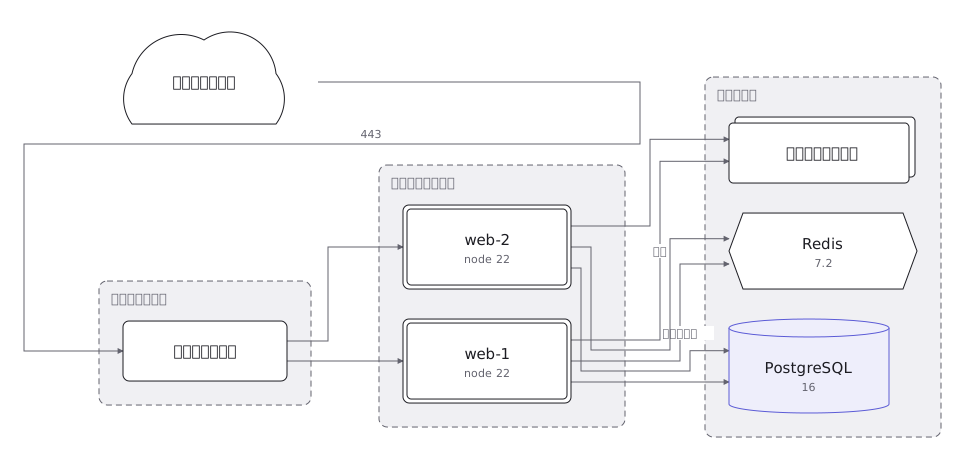 A cloud architecture showing the VPC and its subnets, and where the load balancer, application, database and object store sit
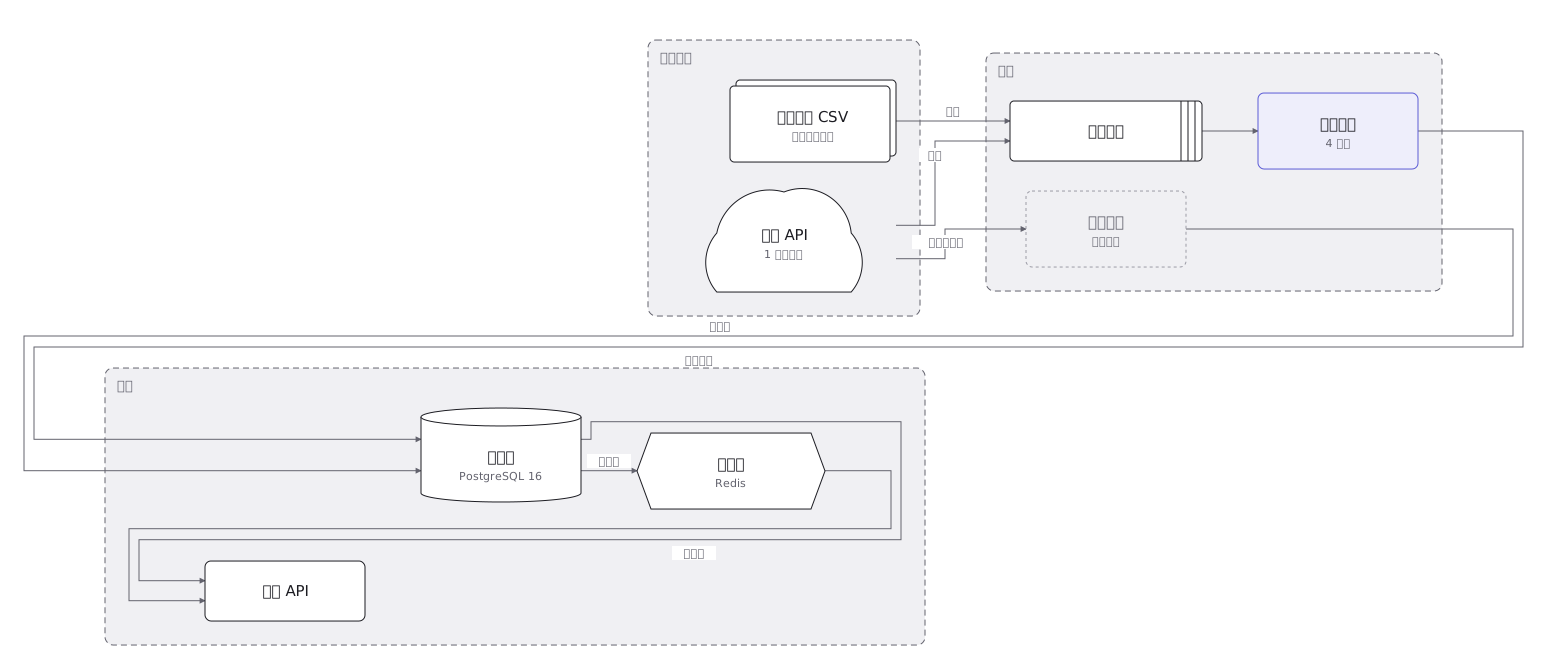 Where data goes from collection through transformation, storage and aggregation to display, and what kind of container holds it at each step
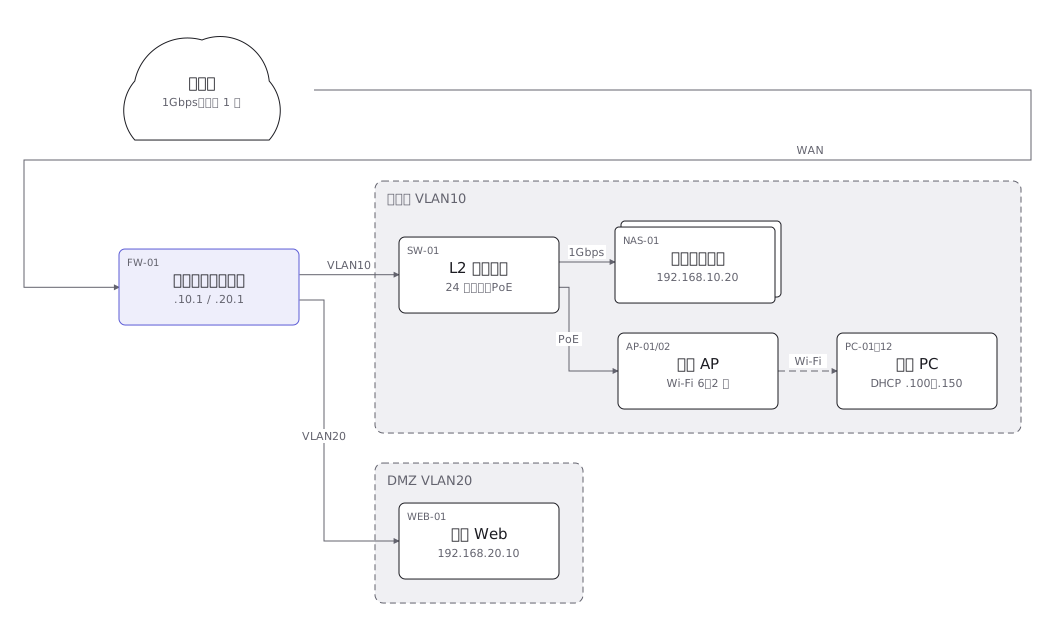 A network layout of the links and equipment between sites, with the address range carried by each segment
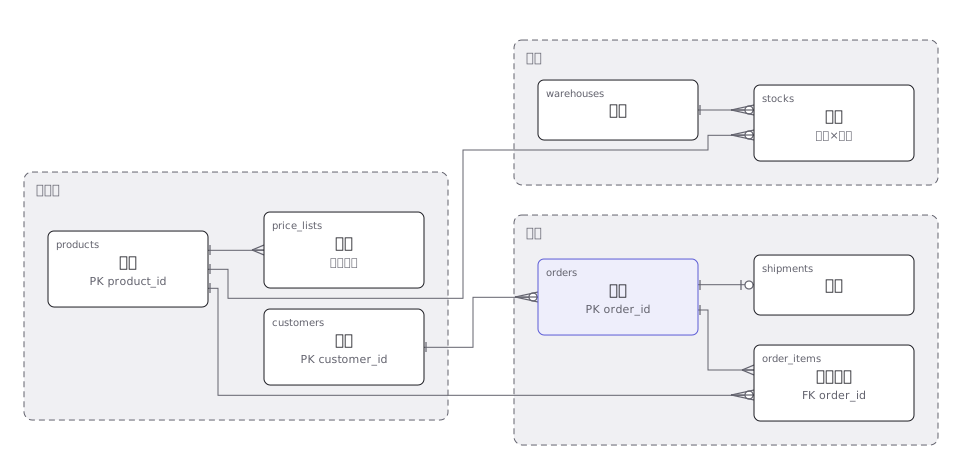 An order management ER diagram with primary and foreign keys, and the one-to-many relationships drawn as crow feet
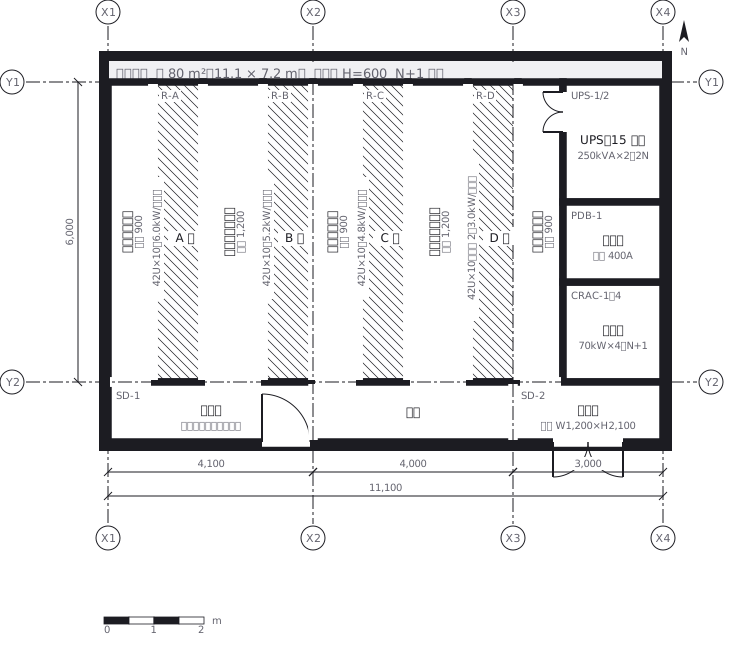 A server room where racks face each other to make hot and cold aisles, with the clearance of each aisle written in
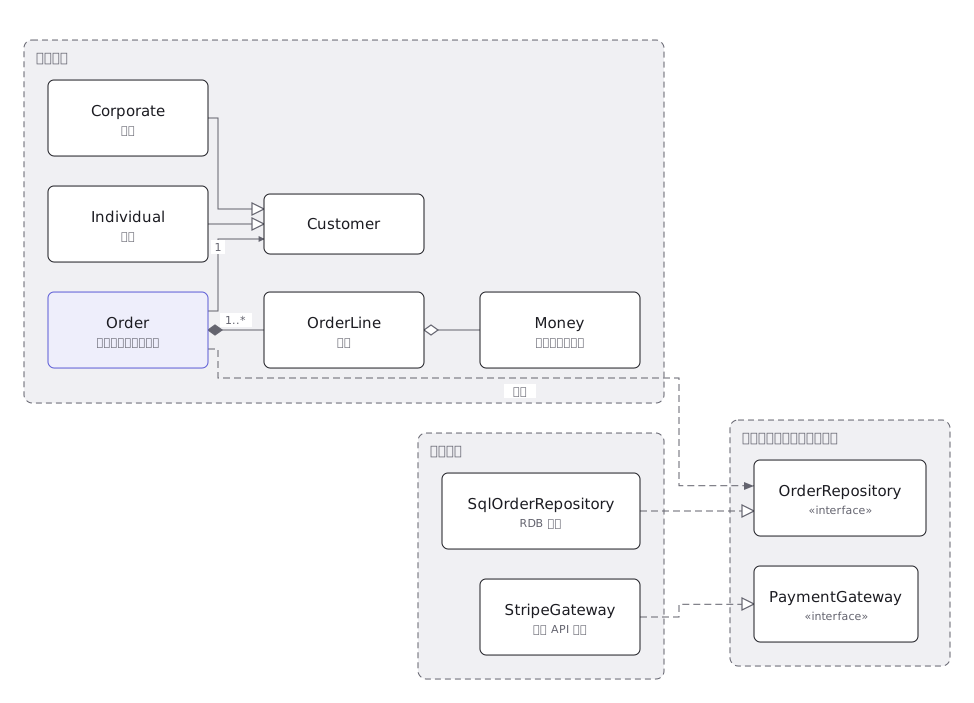 A UML class diagram where inheritance, realisation, association and aggregation are told apart by line type and end symbol
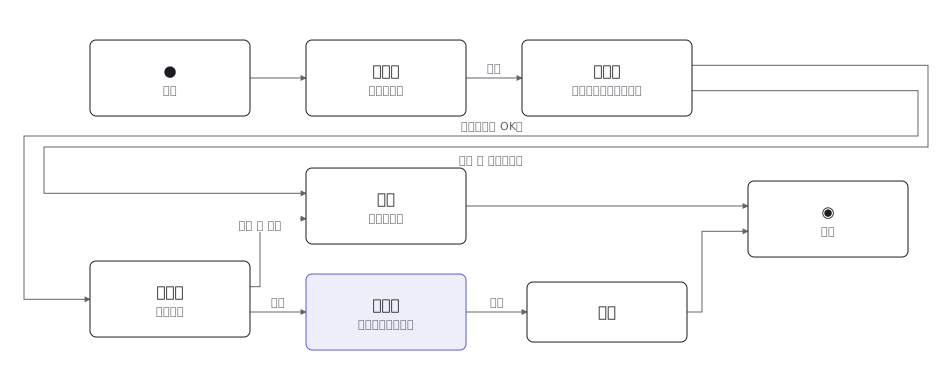 A UML state machine with transitions, the events and guards that fire them, and the pseudostates that begin and end it