UI and screen design
Screen flow with wireframes — Login → Home → Product → Cart
Screen flow with the wireframes drawn in
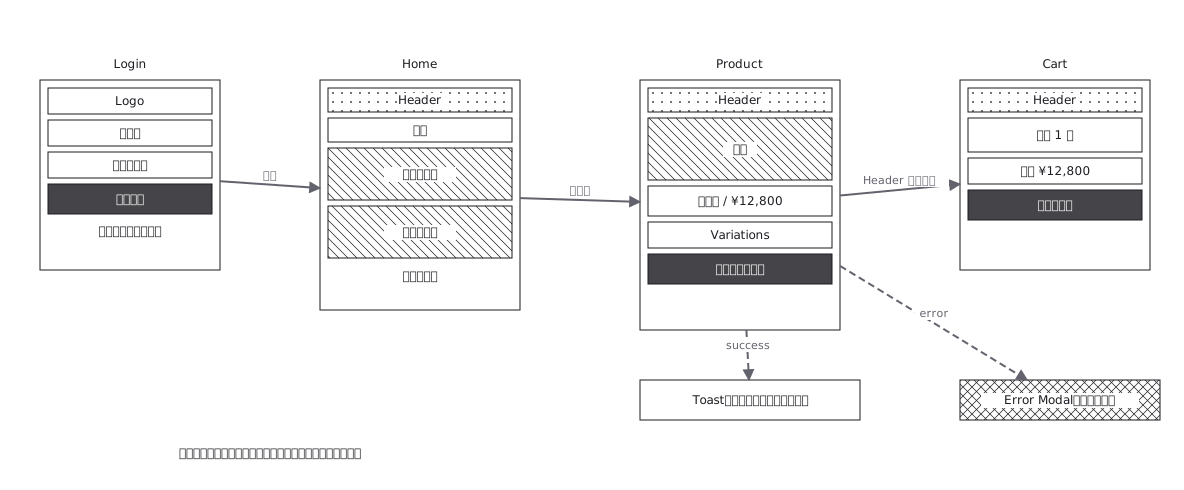
This drawing comes from one YAML file. No shape was moved by hand.
Notes in the source (in Japanese)
画面をただの箱にしない。小型のワイヤーフレームのまま遷移でつなぐ。1 枚で「流れ」と「画面の構造」が同時に読める。破線の分岐は操作の結果(成功・失敗)。
箱に画面名だけを書いた遷移図は、実装の役に立たない。「Cart へ行く」と分かっても、Cart に何が載るかが書いていなければ、画面を作る側は結局デザインを待つことになる。
小さくても中身を描くと、その場で決まっていないことが見える ——空の箱は「まだ決めていない」ことの印になり、遷移図が要件の抜け漏れ表になる。
Source (YAML)
examples/gallery/75-画面遷移とワイヤーフレーム.zumen.yaml
More in this field
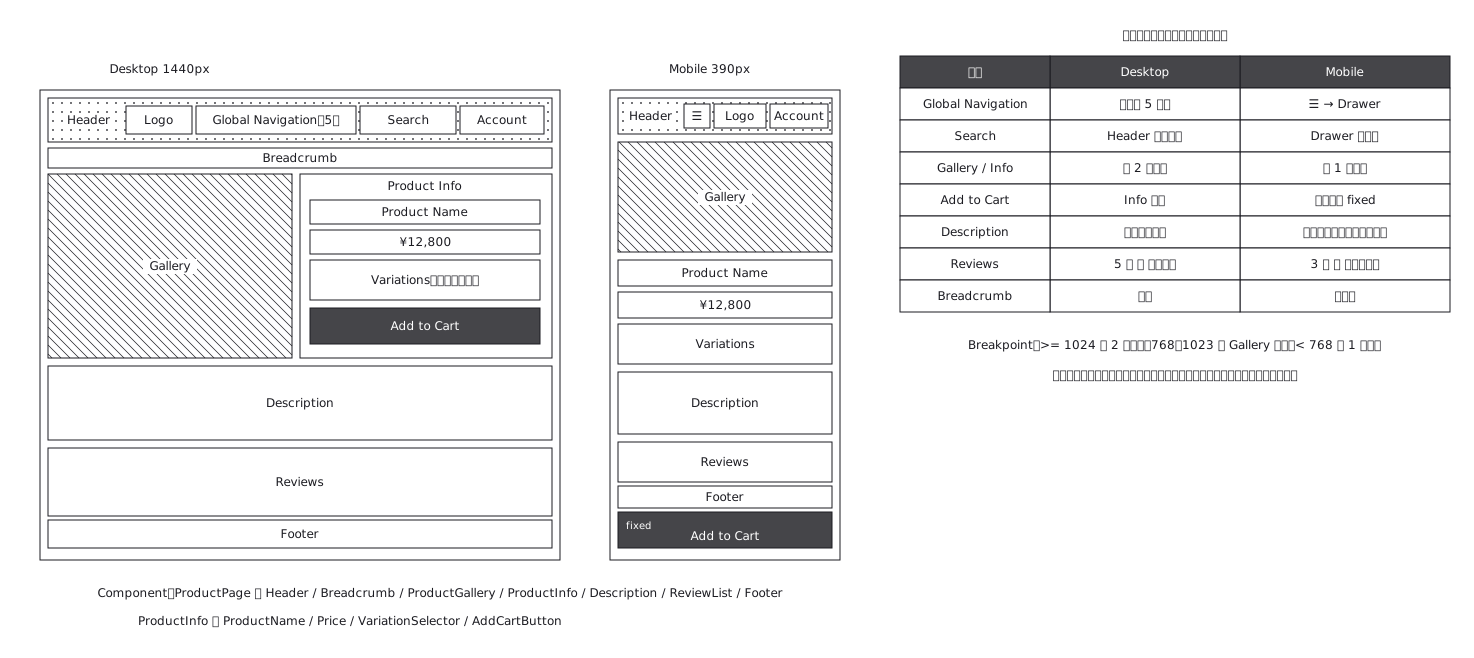 Product page structure, desktop against mobile
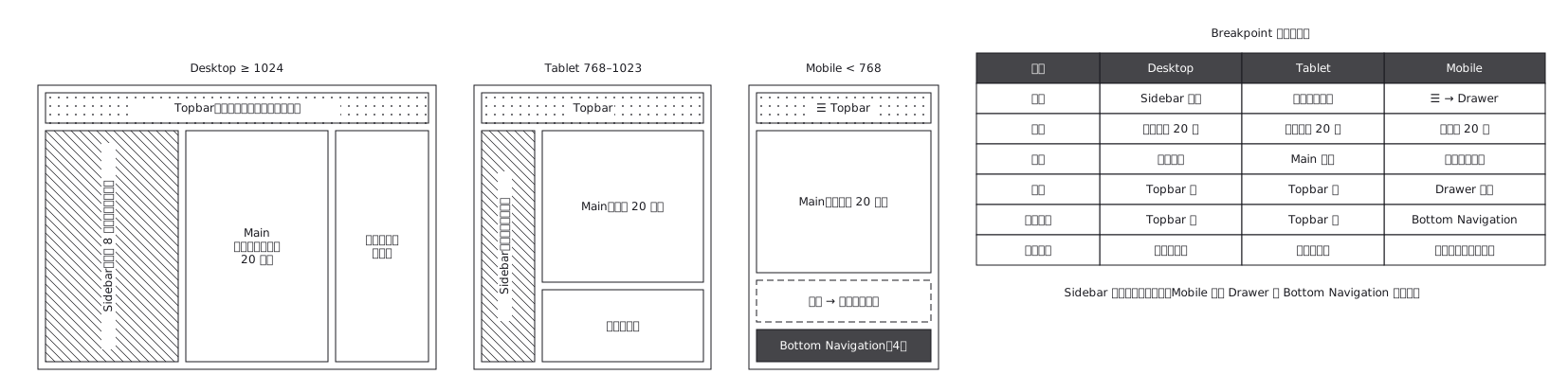 The same admin screen at desktop, tablet and mobile, where the sidebar turns into a drawer rather than simply shrinking
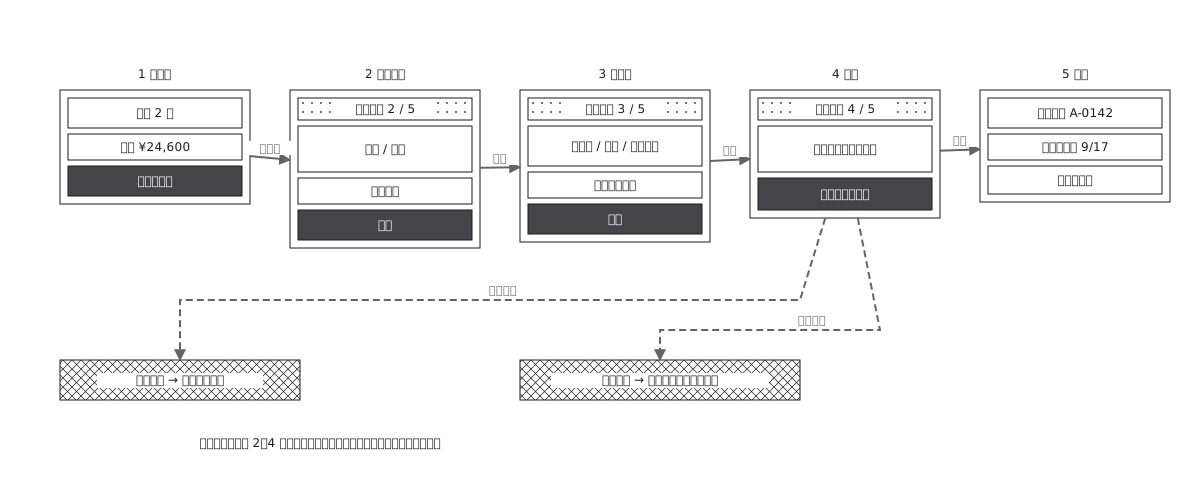 Checkout flow, five steps and where errors return to
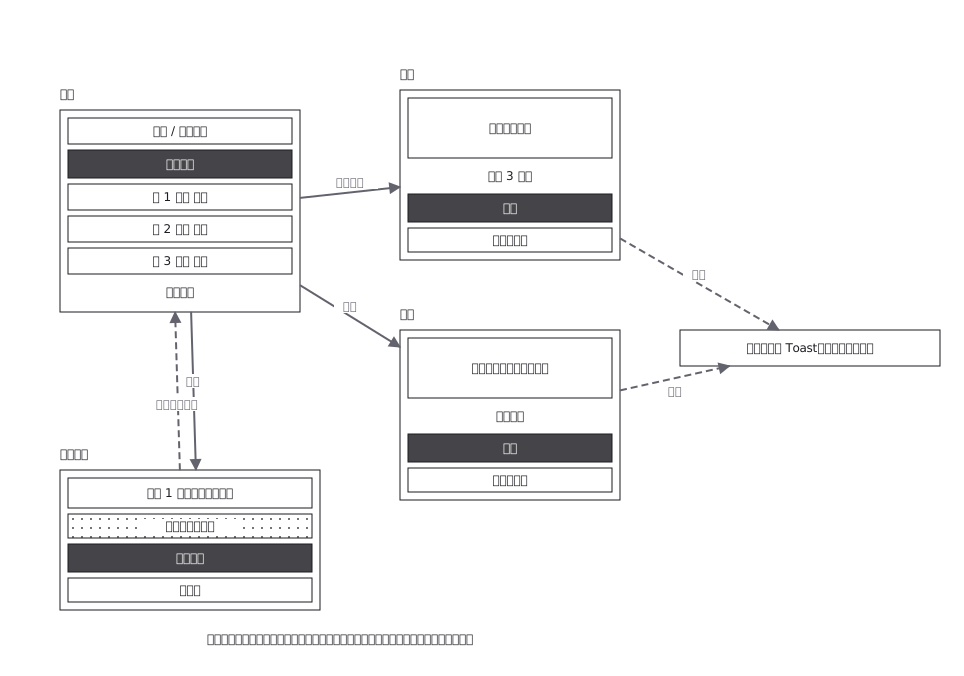 CRUD admin flow: delete goes through a confirmation
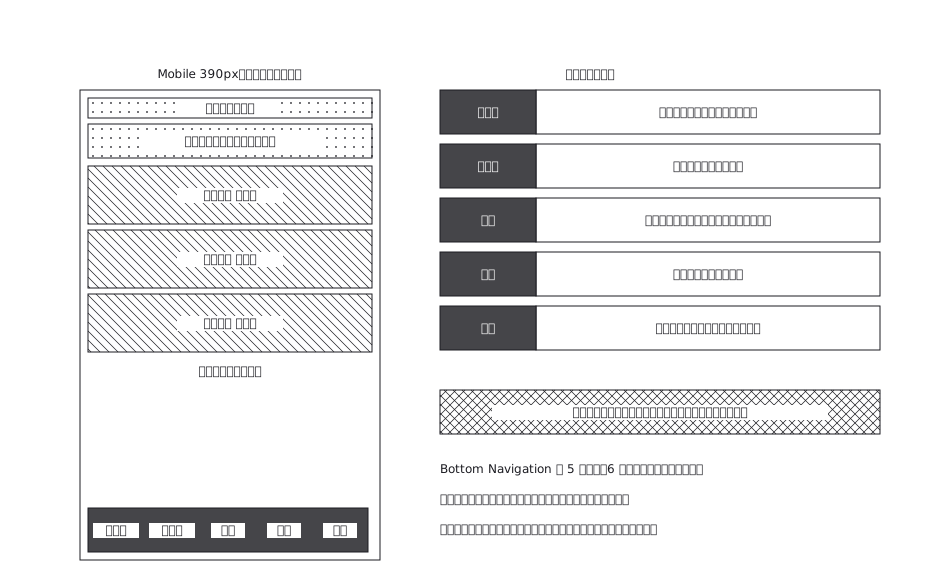 A mobile app with five bottom navigation tabs, and what each tab holds and where it can go from there
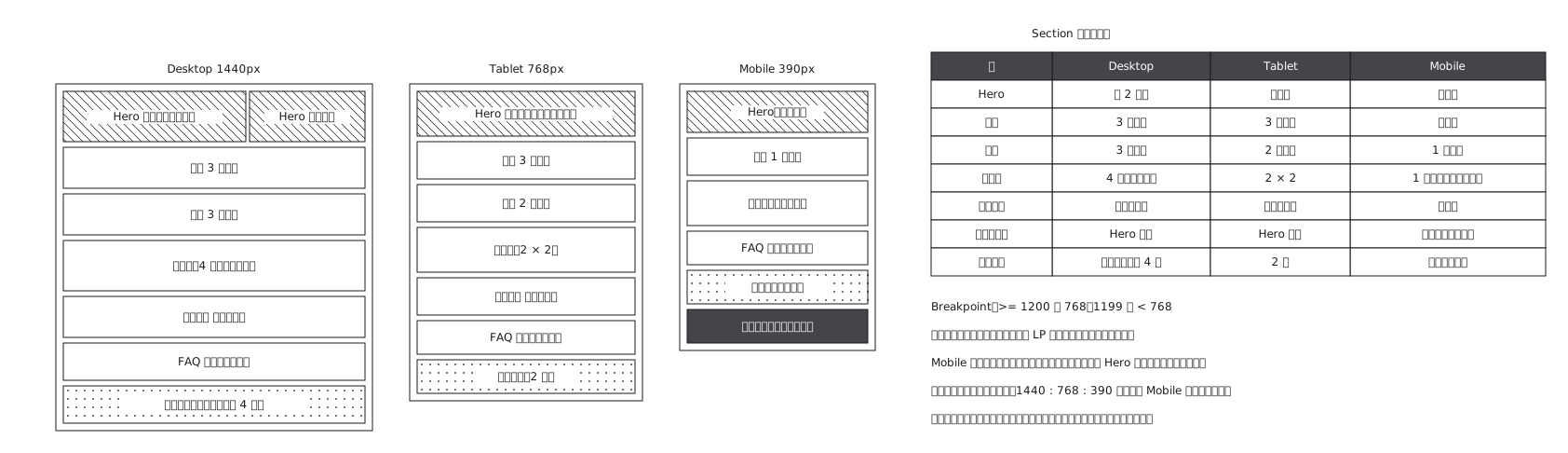 Landing page where sections appear and disappear
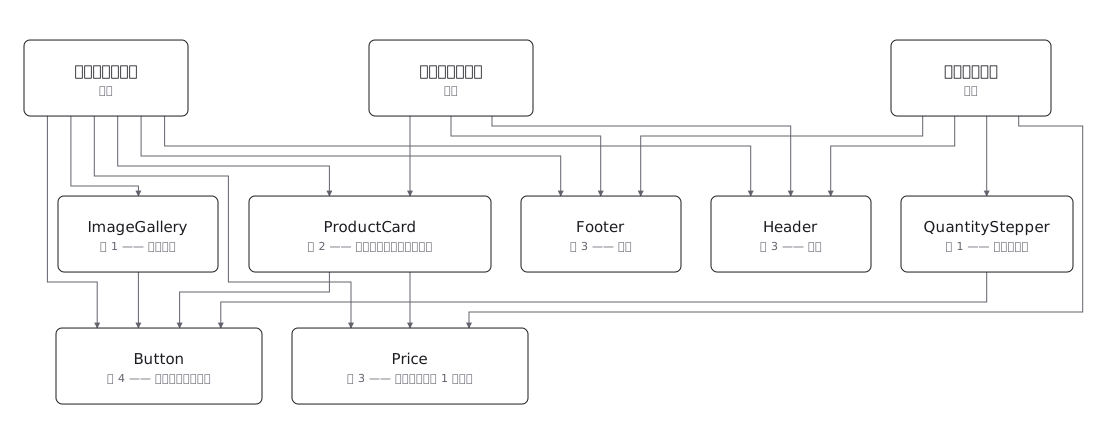 Draw a component tree per screen and the same component keeps reappearing; the real structure is a net, where one component has several parents — and counting those parents is how you tell a shared component from a screen-specific one before you change it