UI and screen design
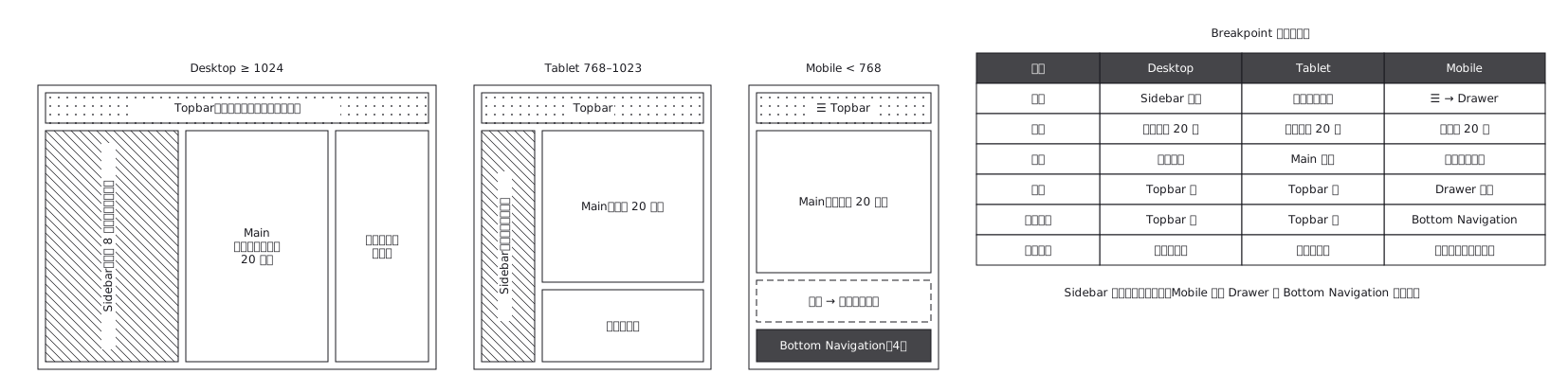
Admin screen UI structure (Desktop with sidebar, Tablet compressed, Mobile with drawer)
The same admin screen at desktop, tablet and mobile, where the sidebar turns into a drawer rather than simply shrinking
This drawing comes from one YAML file. No shape was moved by hand.
Notes in the source (in Japanese)
Breakpoint ごとに 同じ中身がどこへ行くかを示す。3 枚並べるのが目的ではなく、右の表で「何がどう変わるか」を言うのが目的。
縮小ではなく、構造が変わる。 Sidebar は Drawer になり、横並びは縦並びになり、Desktop にしか無い列は消える —— 絵を 2 枚並べただけでは、消えたのか隠れたのかが読めない。
消える要素があることを、表で明示する。 実装する側がいちばん困るのは「Mobile のこの項目は、どこへ行ったのか」で、それは絵からは絶対に読めない。
Source (YAML)
examples/gallery/76-管理画面のレスポンシブ構造.zumen.yaml
More in this field
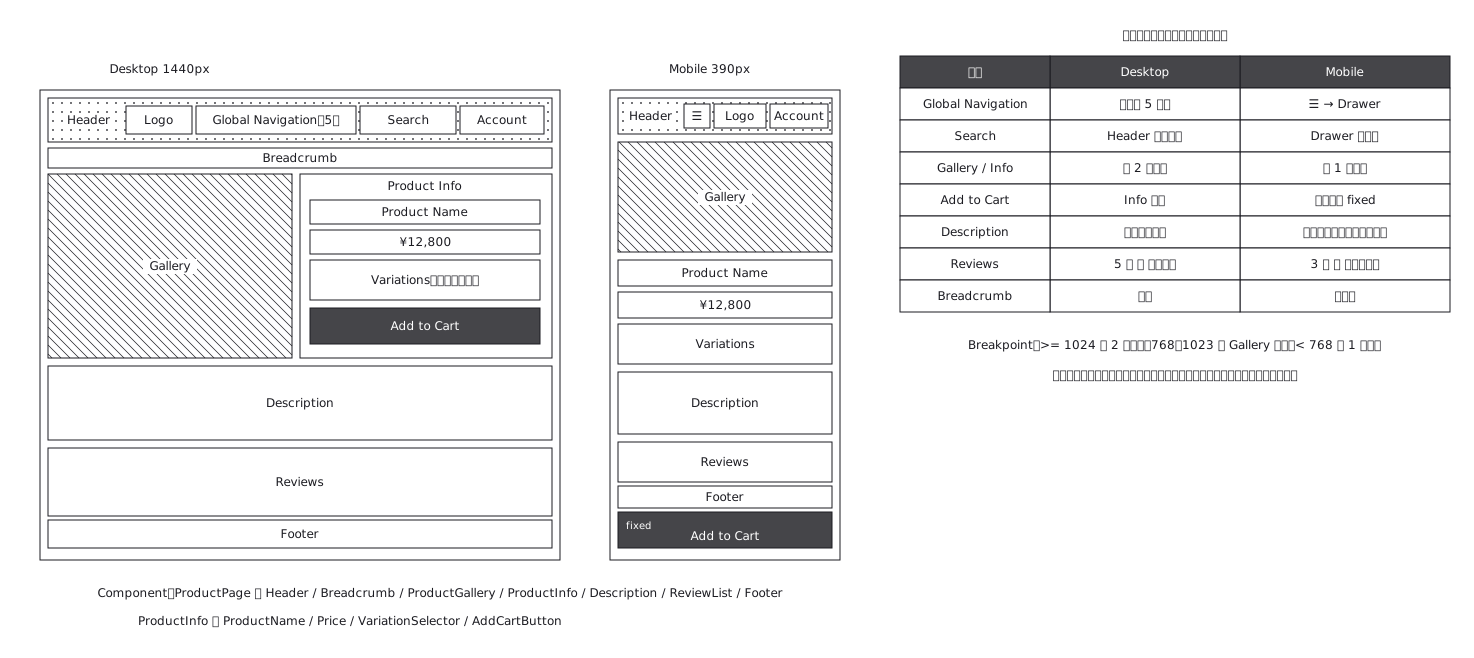 Product page structure, desktop against mobile
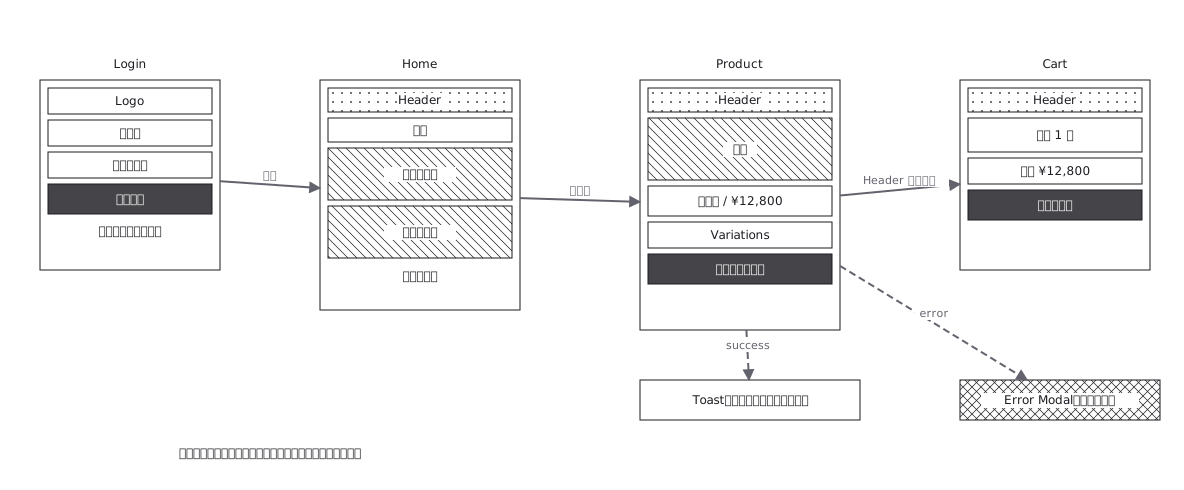 Screen flow with the wireframes drawn in
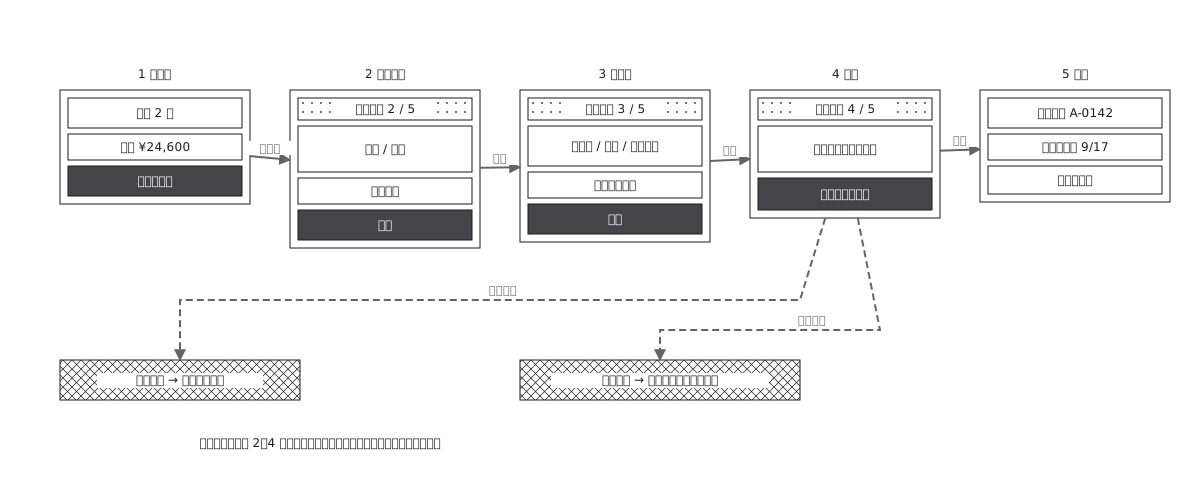 Checkout flow, five steps and where errors return to
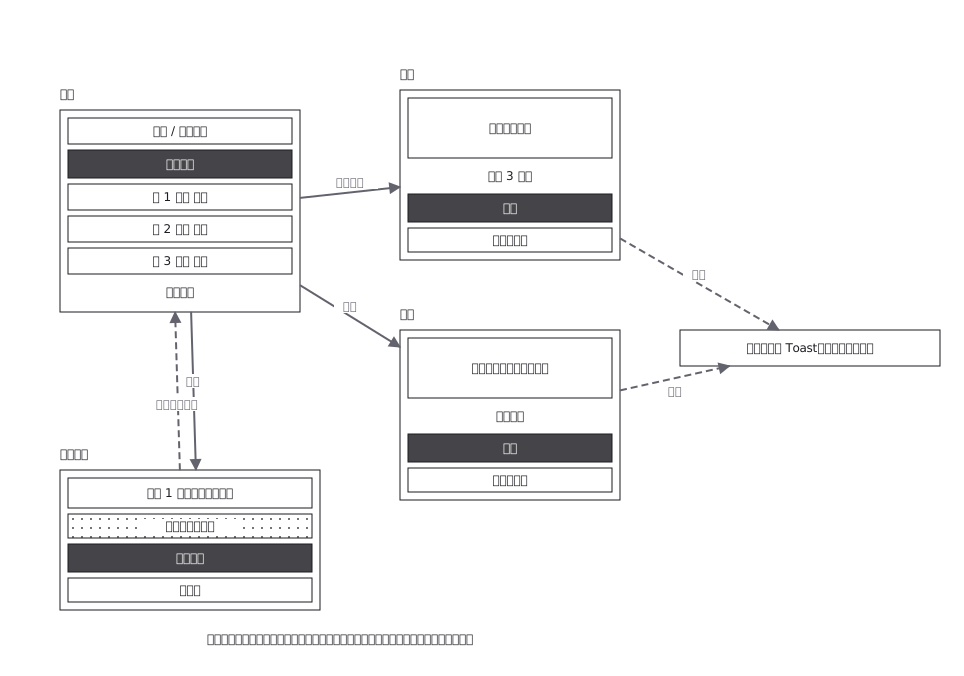 CRUD admin flow: delete goes through a confirmation
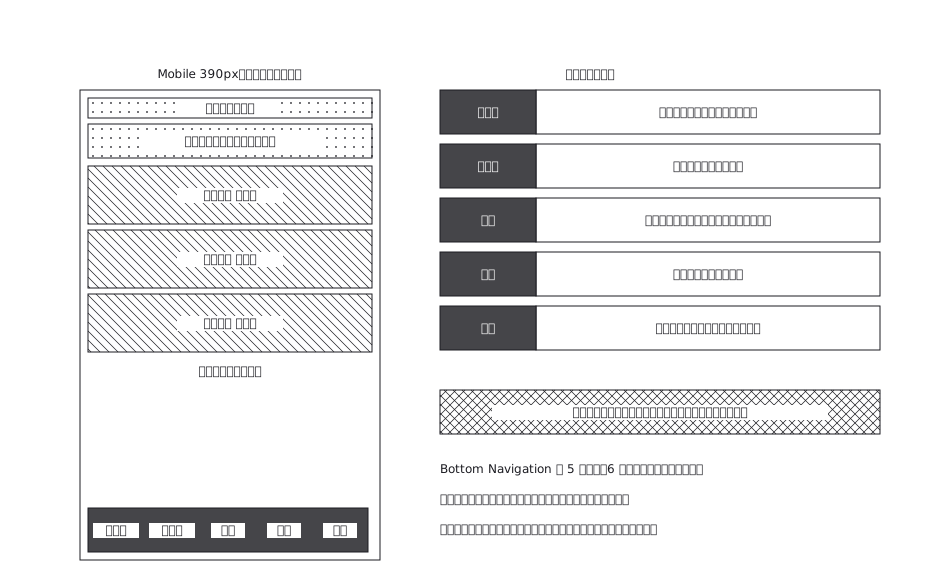 A mobile app with five bottom navigation tabs, and what each tab holds and where it can go from there
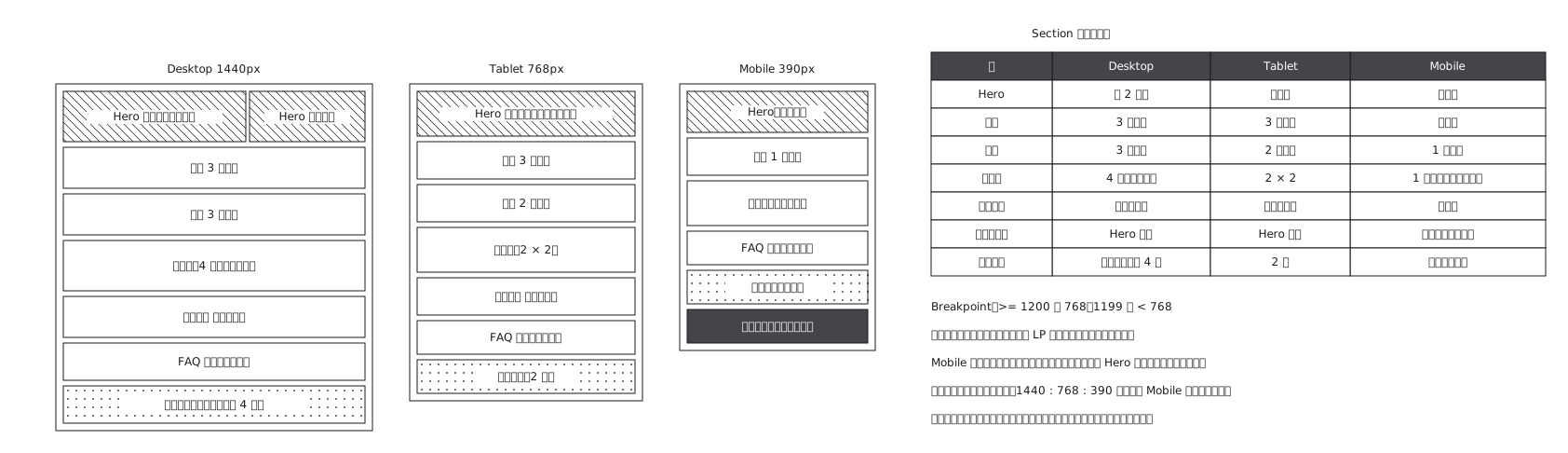 Landing page where sections appear and disappear
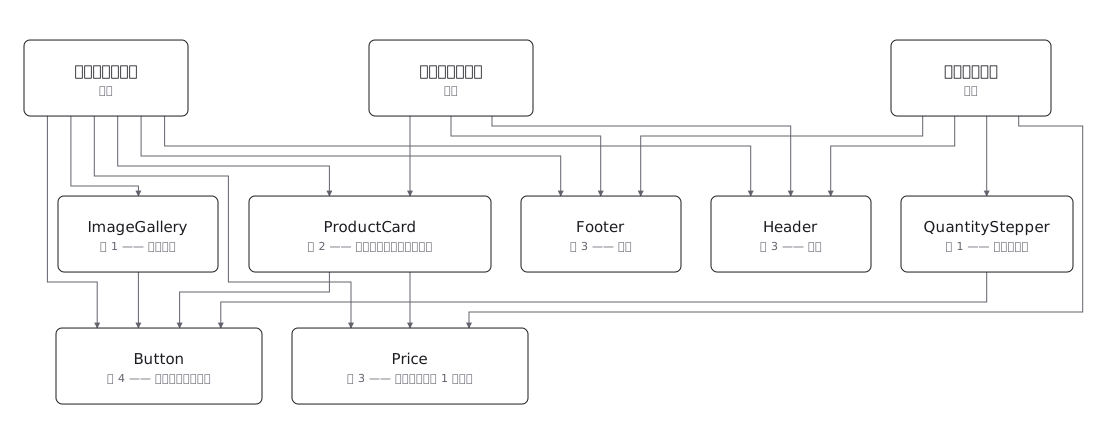 Draw a component tree per screen and the same component keeps reappearing; the real structure is a net, where one component has several parents — and counting those parents is how you tell a shared component from a screen-specific one before you change it