UI and screen design
Checkout screen flow (Cart → Address → Payment → Confirmation → Complete)
Checkout flow, five steps and where errors return to
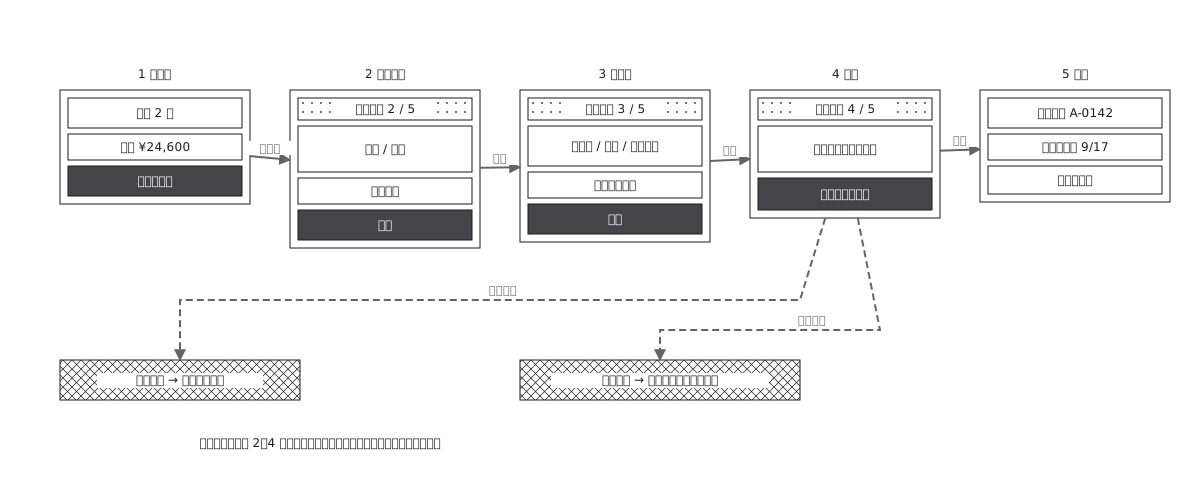
This drawing comes from one YAML file. No shape was moved by hand.
Notes in the source (in Japanese)
完成デザインではなく UI 構造の正本。買い物かごから完了までの 5 画面と、途中で分かれる道(在庫切れ・決済失敗)を 1 枚に。実線=進む、破線=操作の結果。戻れる/戻れないが読めることが要点。
確認画面が 1 枚要るのは、押したら取り消せない操作の直前だから。住所や支払い方法は何度でも直せるが、決済は 1 回きり ——その境目がどこかを、図の上で指させることが、この 1 枚の仕事。
在庫切れと決済失敗は、戻る先が違う。在庫切れはカートまで戻るが、決済失敗は支払い画面に留まる ——「失敗したら戻る」とだけ書いた図では、この違いが実装に伝わらない。
Source (YAML)
examples/gallery/85-Checkoutの画面遷移.zumen.yaml
More in this field
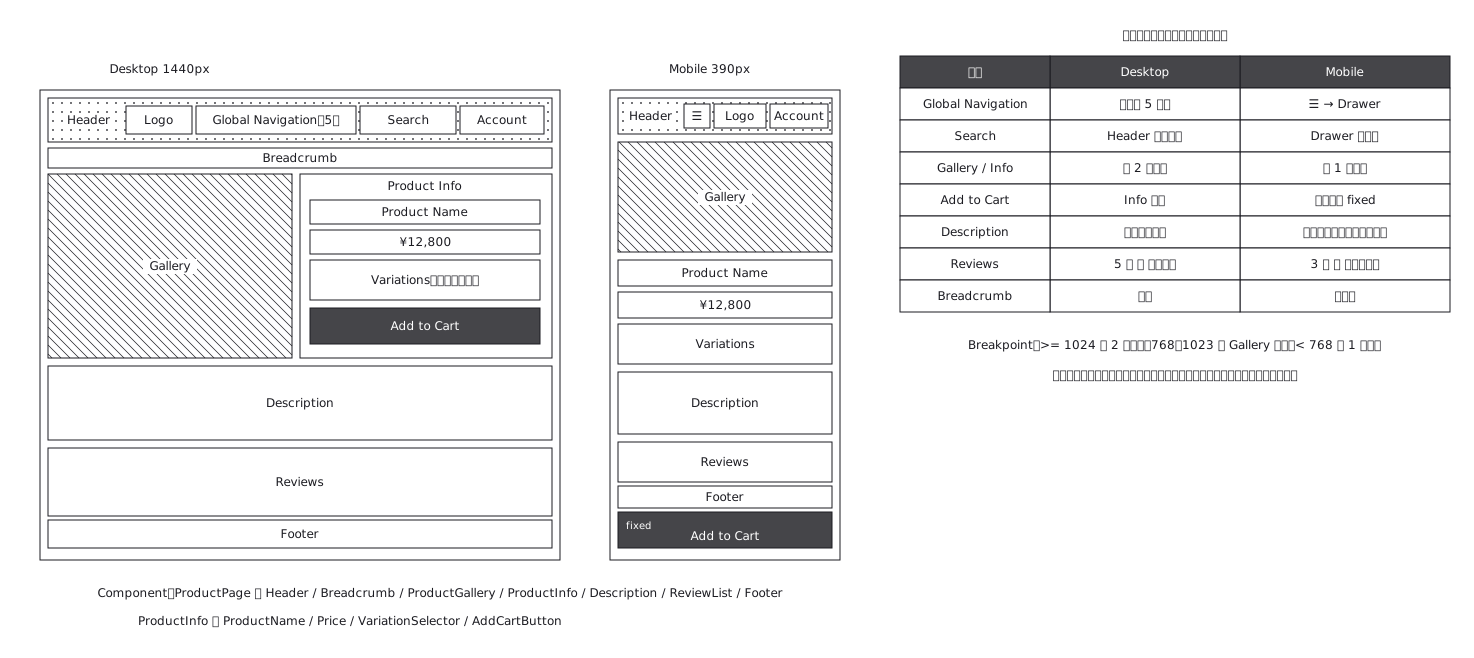 Product page structure, desktop against mobile
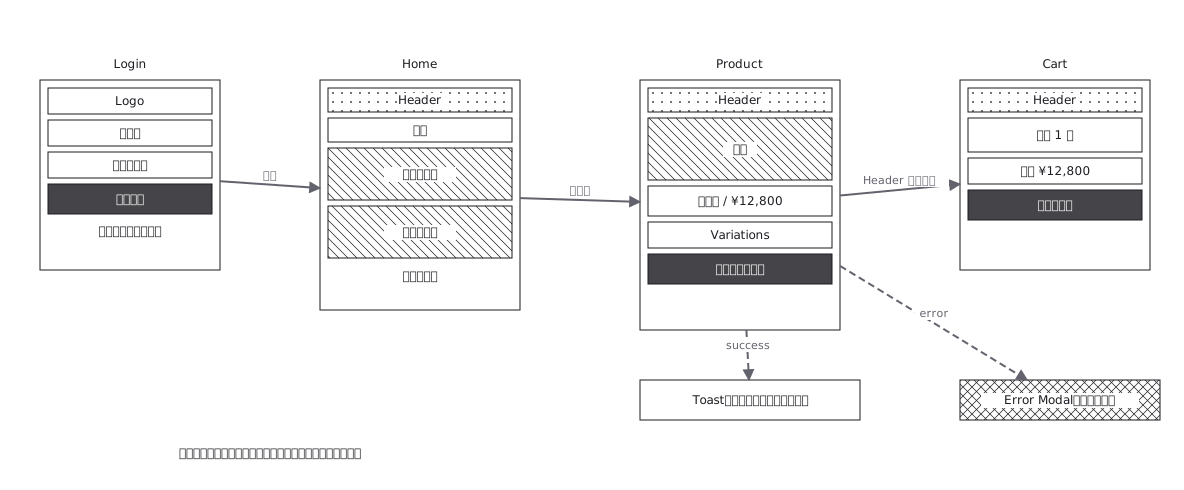 Screen flow with the wireframes drawn in
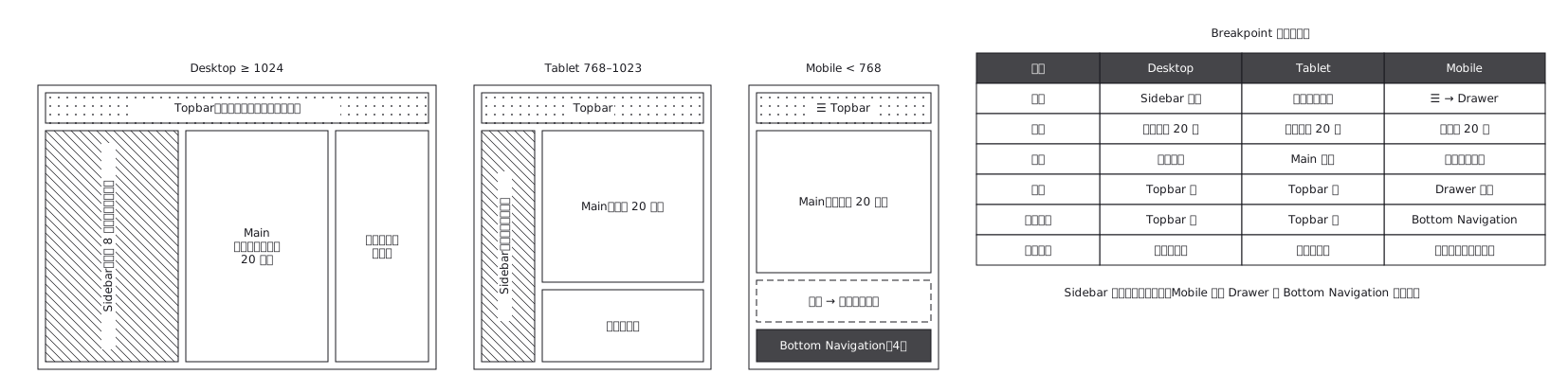 The same admin screen at desktop, tablet and mobile, where the sidebar turns into a drawer rather than simply shrinking
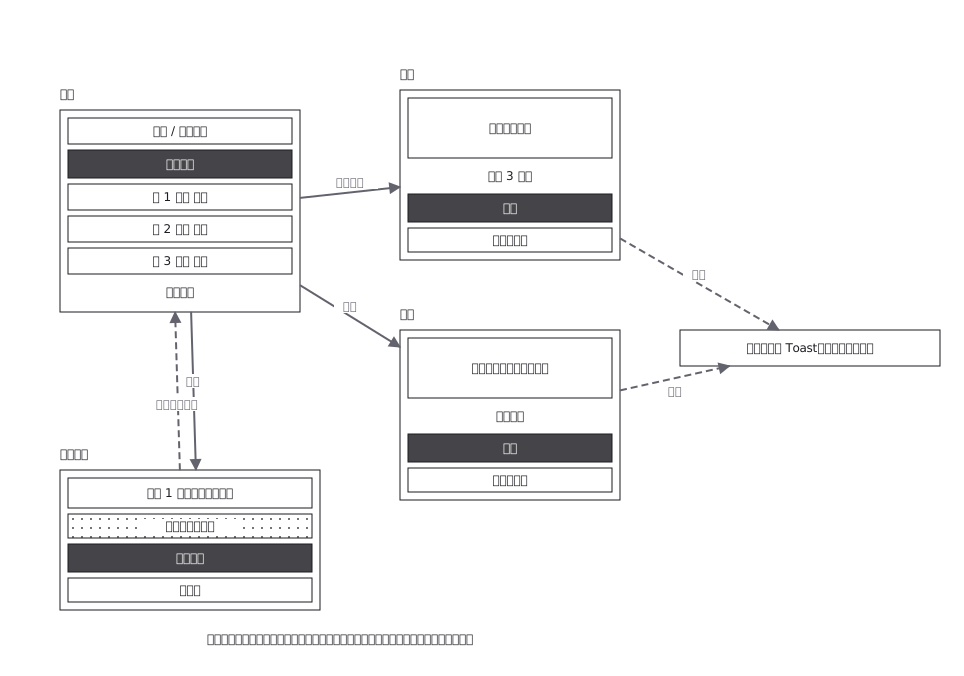 CRUD admin flow: delete goes through a confirmation
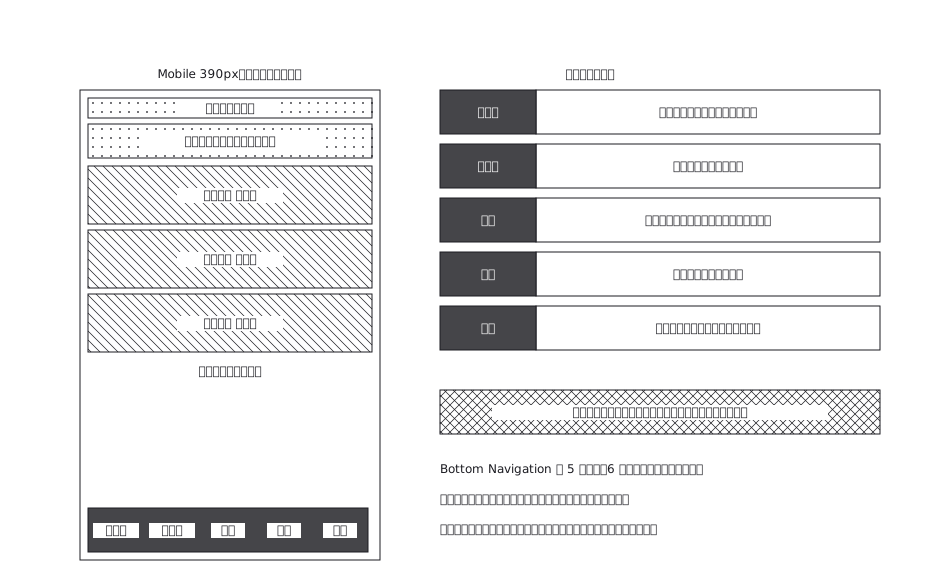 A mobile app with five bottom navigation tabs, and what each tab holds and where it can go from there
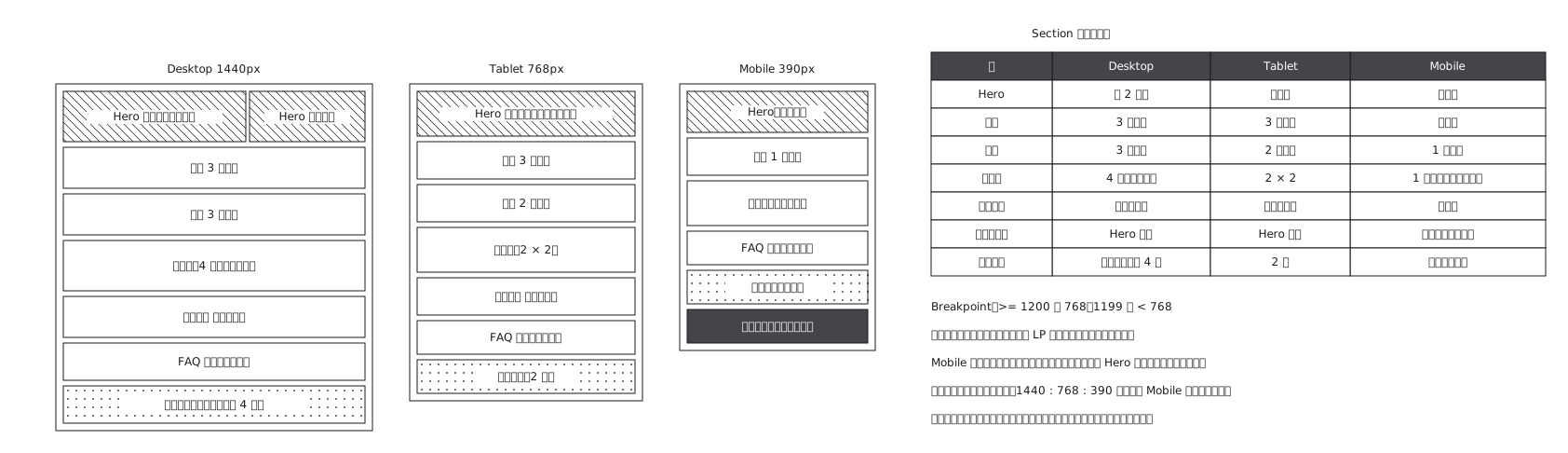 Landing page where sections appear and disappear
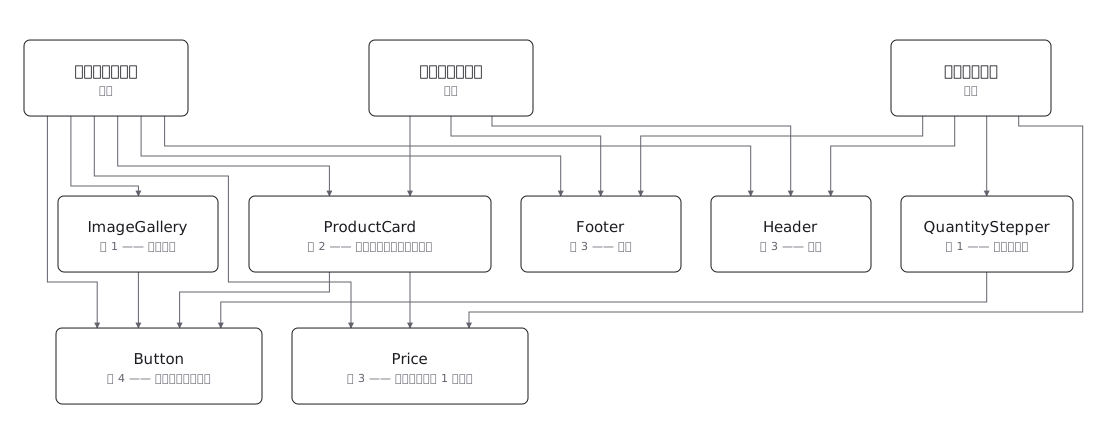 Draw a component tree per screen and the same component keeps reappearing; the real structure is a net, where one component has several parents — and counting those parents is how you tell a shared component from a screen-specific one before you change it