UI and screen design
CRUD admin screen flow (List → Create / Edit / Delete confirmation)
CRUD admin flow: delete goes through a confirmation
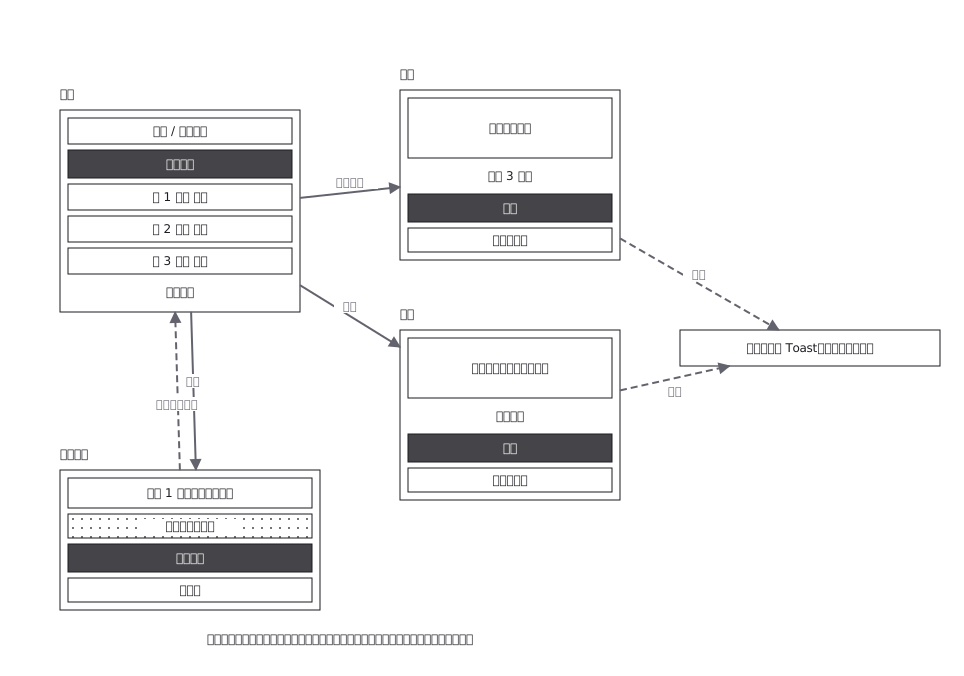
This drawing comes from one YAML file. No shape was moved by hand.
Notes in the source (in Japanese)
管理画面の型。一覧が中心で、そこから作成・編集・削除へ出て、必ず戻る。破線=操作の結果。削除は確認を挟んでからでないと消えない。
戻り先が全部「一覧」なのが、この型の肝。 作成した直後に詳細へ飛ばすと、続けて 10 件登録する人が毎回戻る操作をすることになる。管理画面を使うのは同じ作業を何十回も繰り返す人なので、1 回あたり 1 操作の差が、そのまま作業時間の差になる。
確認を挟むのは削除だけ。 作成・編集は取り消せるが、削除は取り消せない ——取り消せる操作にまで確認を出すと、人は確認を読まずに押すようになる。
Source (YAML)
examples/gallery/86-CRUD管理画面の画面遷移.zumen.yaml
More in this field
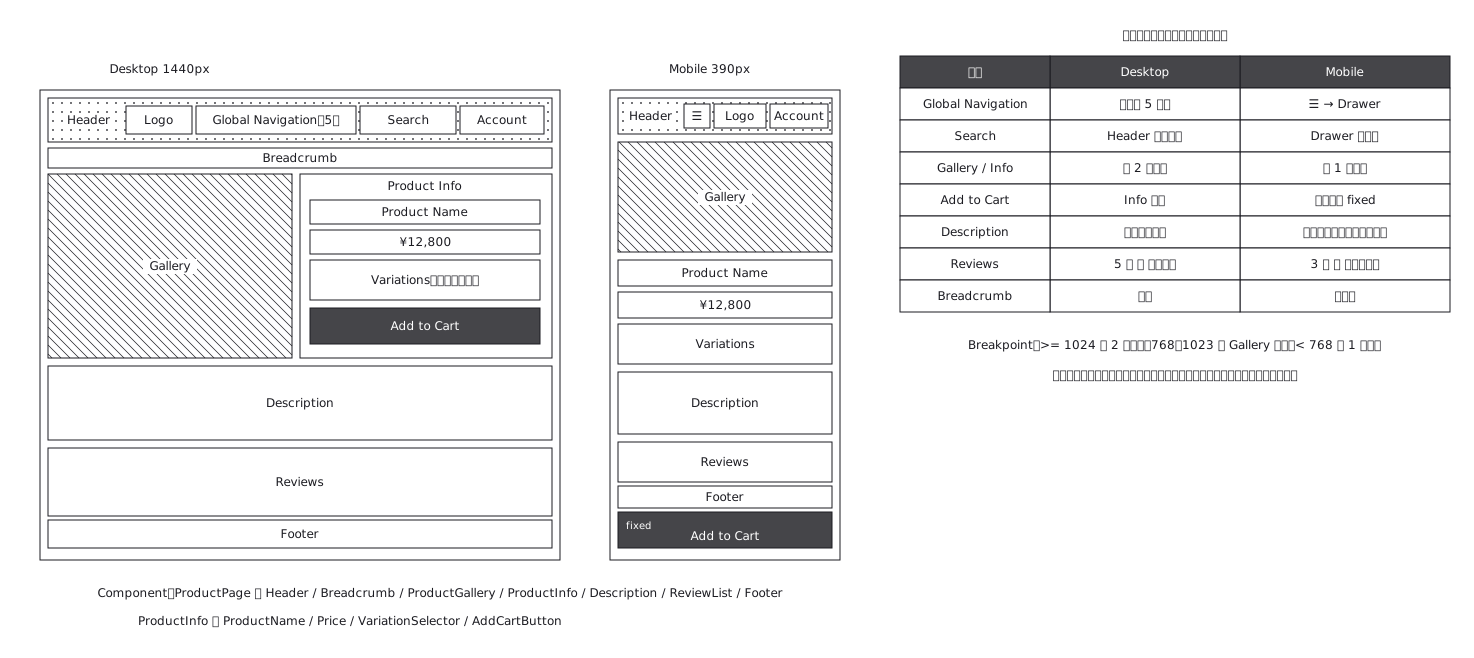 Product page structure, desktop against mobile
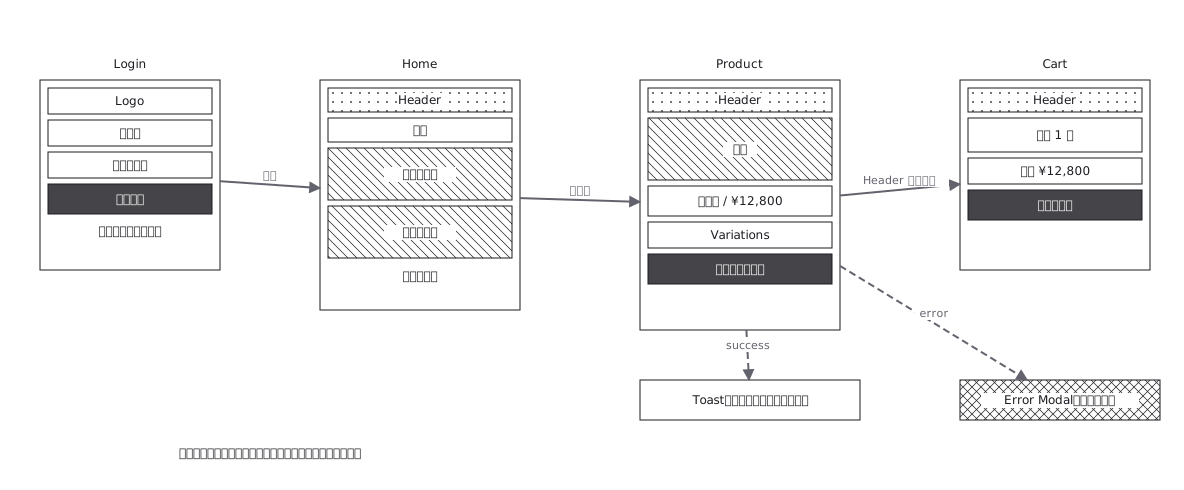 Screen flow with the wireframes drawn in
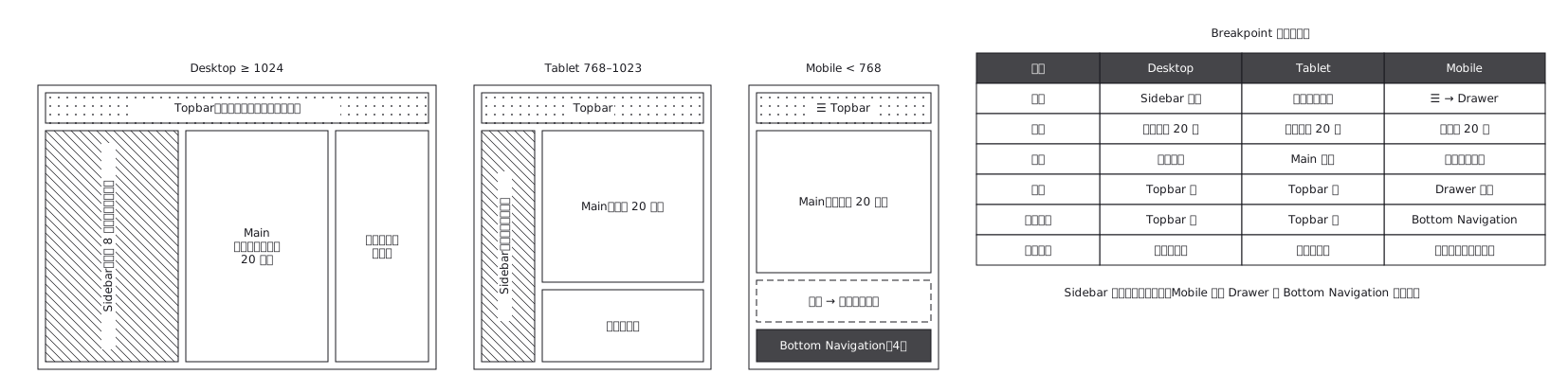 The same admin screen at desktop, tablet and mobile, where the sidebar turns into a drawer rather than simply shrinking
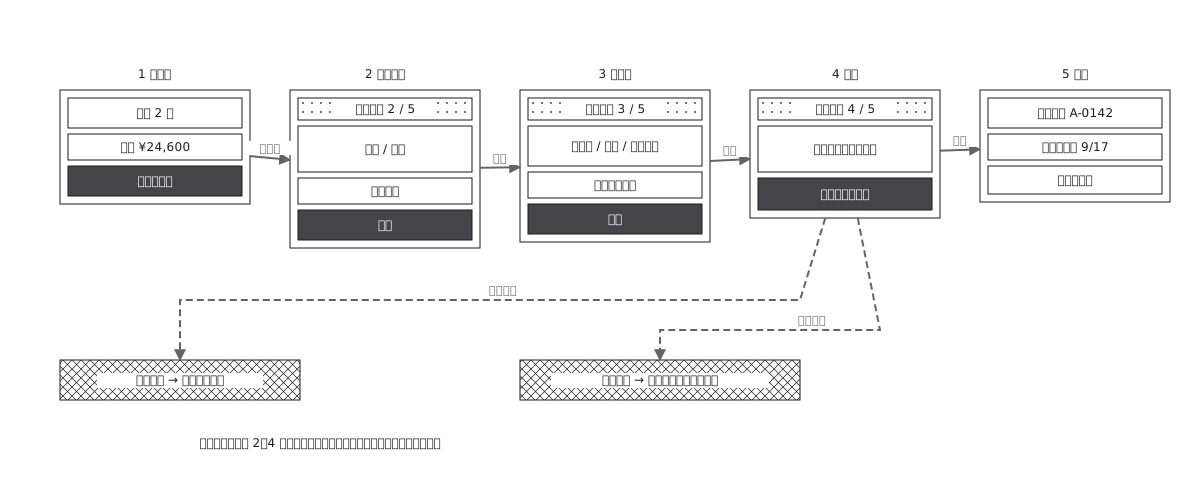 Checkout flow, five steps and where errors return to
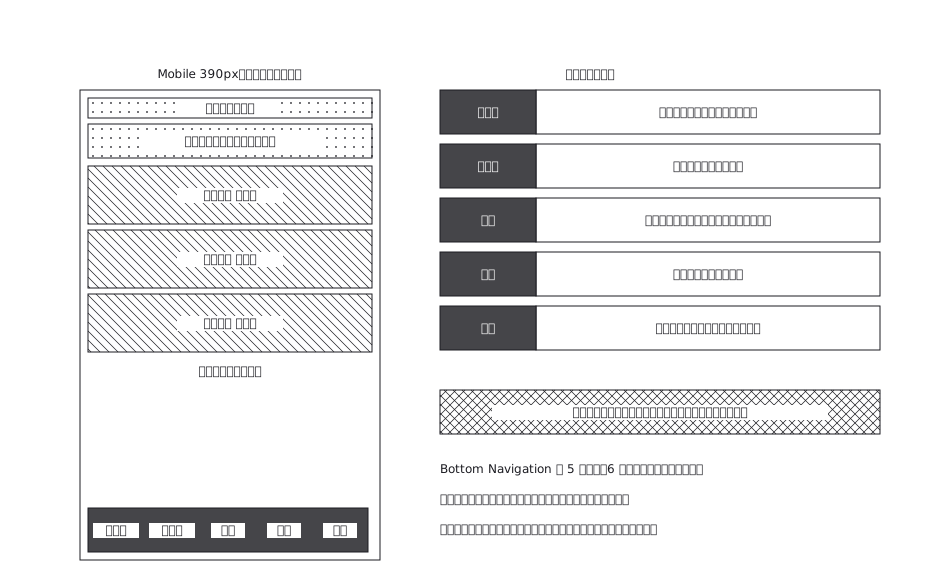 A mobile app with five bottom navigation tabs, and what each tab holds and where it can go from there
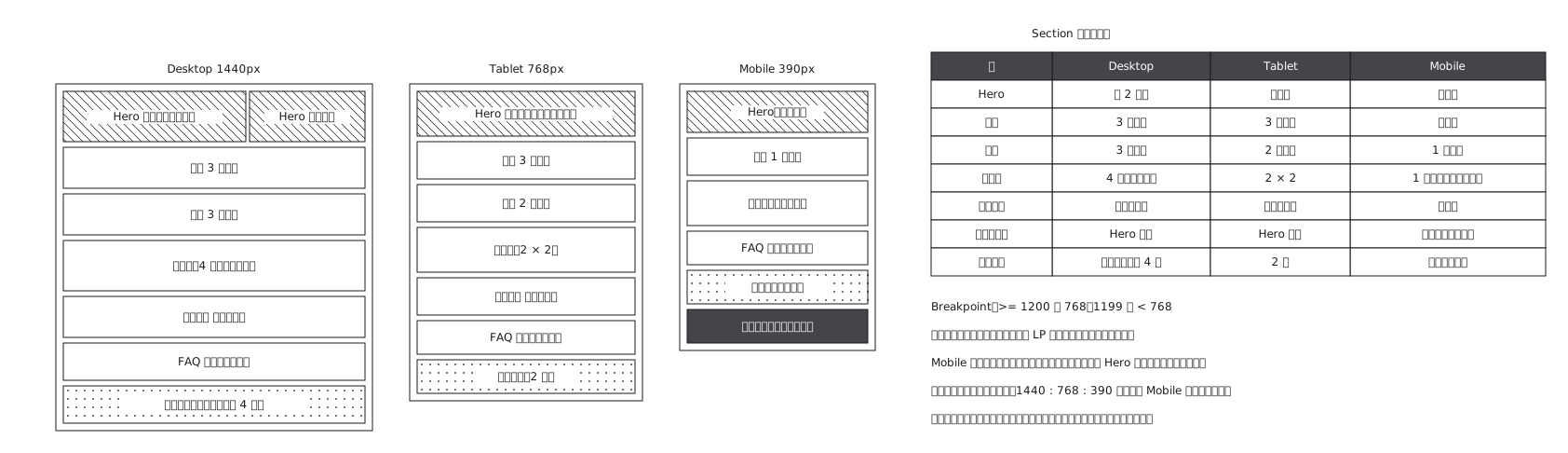 Landing page where sections appear and disappear
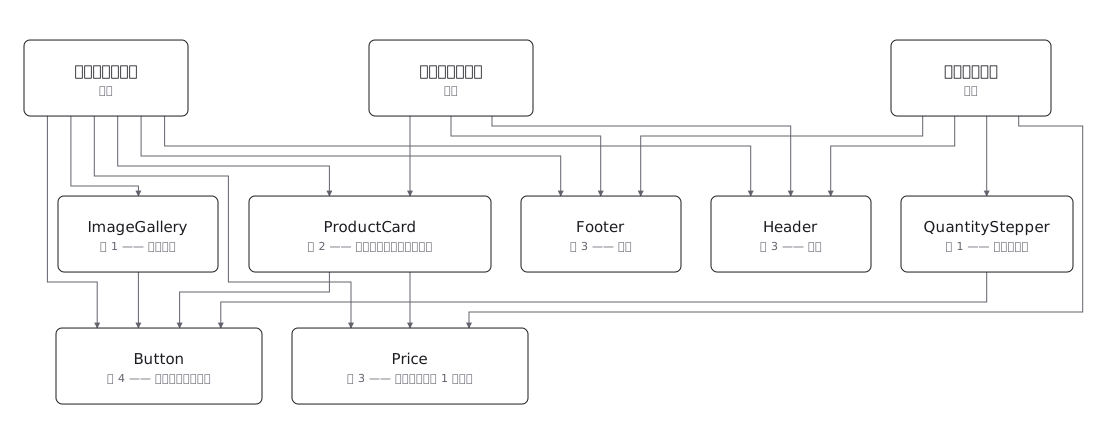 Draw a component tree per screen and the same component keeps reappearing; the real structure is a net, where one component has several parents — and counting those parents is how you tell a shared component from a screen-specific one before you change it