UI and screen design
UI component structure (a net, not a tree)
Draw a component tree per screen and the same component keeps reappearing; the real structure is a net, where one component has several parents — and counting those parents is how you tell a shared component from a screen-specific one before you change it
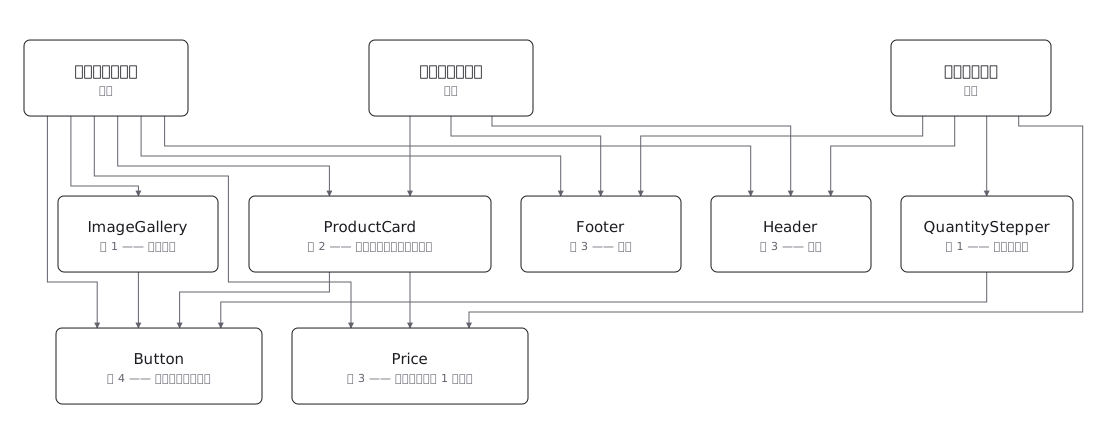
This drawing comes from one YAML file. No shape was moved by hand.
Notes in the source (in Japanese)
画面ごとに木を描くと、同じ Component が何度も出てくる。実際には 1 つの Component が複数の画面から使われるので、構造は木ではなく網(同じ節に、親が何本も刺さる)。ここを木として描くと、どれが共通でどれが専用かが図から消える。
共通か専用かは、親の数を数えれば分かる。親が 2 本以上刺さっている節が共通の Component ——直すと刺さっている画面ぜんぶに効くので、直す前にここを見る。親が 1 本だけなら、その画面だけの都合で変えてよい。
これが「完成 UI ではなく構造を残す」ということ。見た目は何度でも作り直されるが、画面と Component と、その関係は残る。この図を正として「React / Vue / Flutter で実装してください」と渡せる。
Responsive で変わるのは、この図の形ではない。Sidebar が Drawer になっても、使っている Component は同じ ——変わるのは置き方で、それは見本 76(管理画面のレスポンシブ構造)の側の話。
Button は円柱(データベースの記号)で描かない。 形が別の意味を持つ(見本 46 と同じ約束)。Price は値を表示するだけの部品で、Button を持たない(以前は「表示だけ」という線で親に数えていた)。
見本 74・75・76・85・86・87・88 と対。 あちらは画面の絵、こちらは部品の関係。
Source (YAML)
examples/gallery/312-UIのComponent構造.zumen.yaml
More in this field
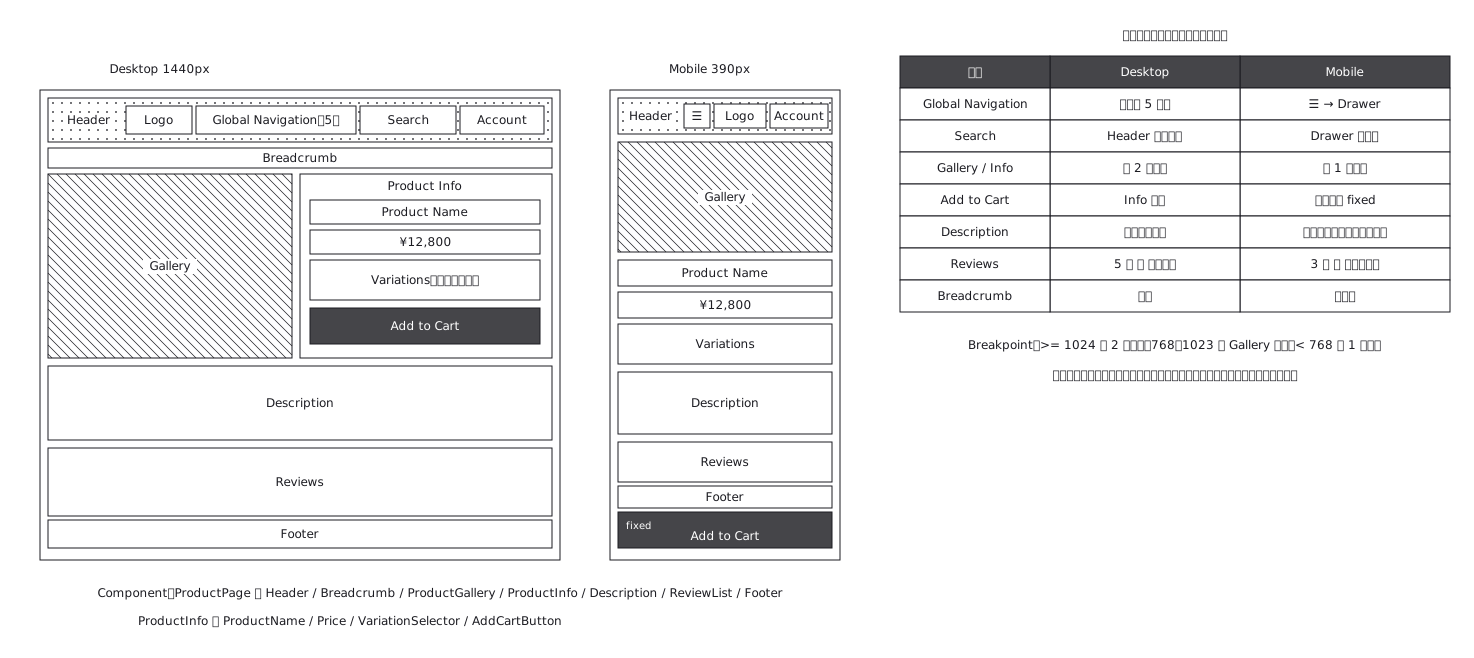 Product page structure, desktop against mobile
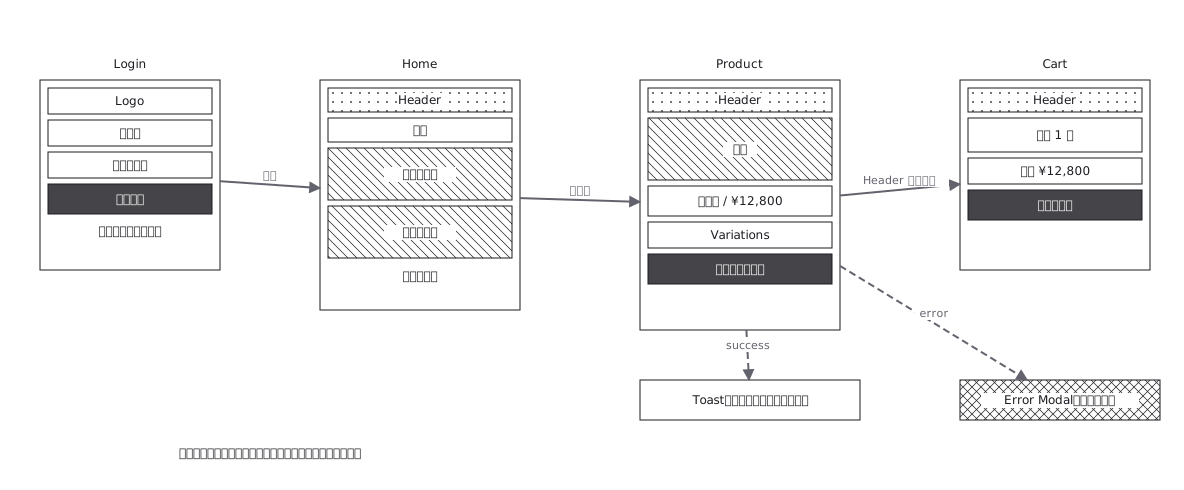 Screen flow with the wireframes drawn in
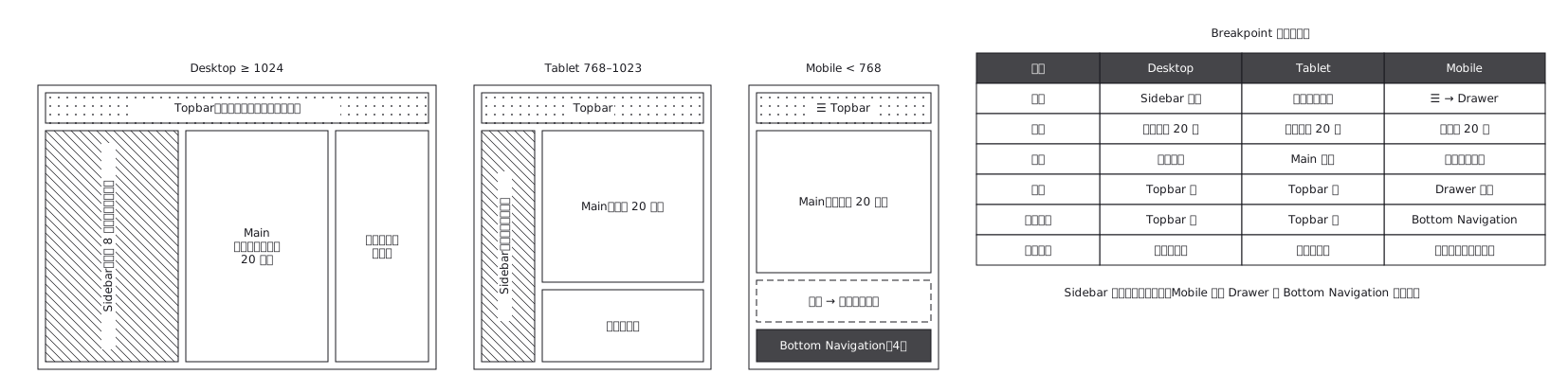 The same admin screen at desktop, tablet and mobile, where the sidebar turns into a drawer rather than simply shrinking
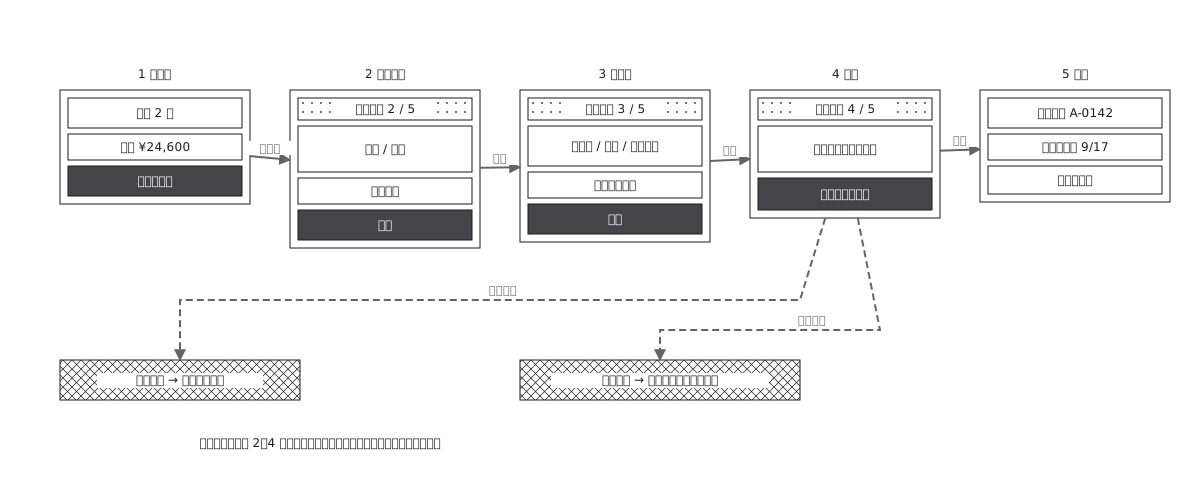 Checkout flow, five steps and where errors return to
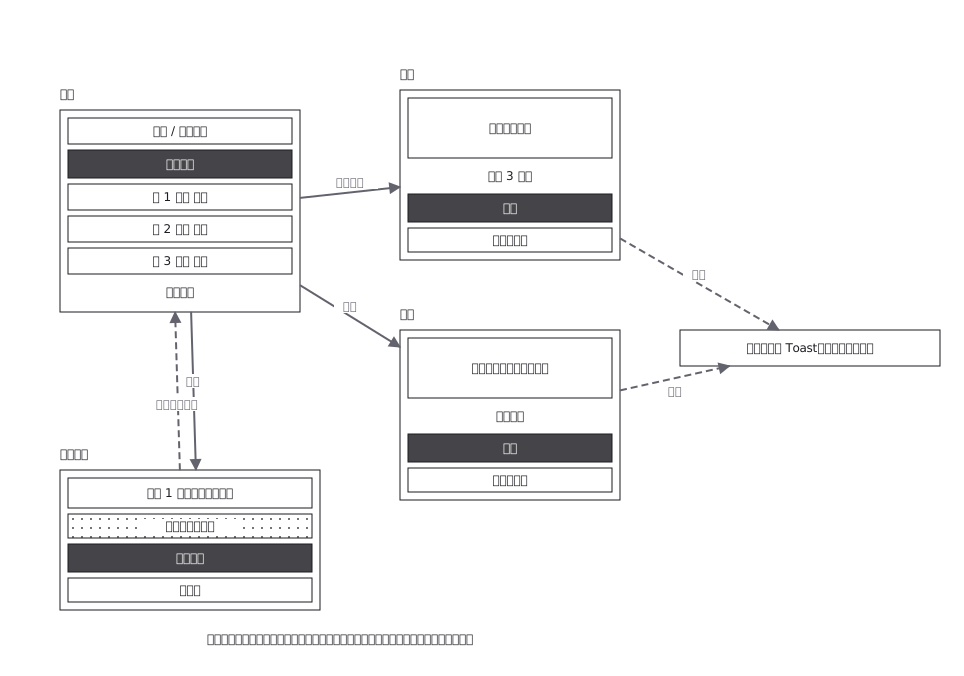 CRUD admin flow: delete goes through a confirmation
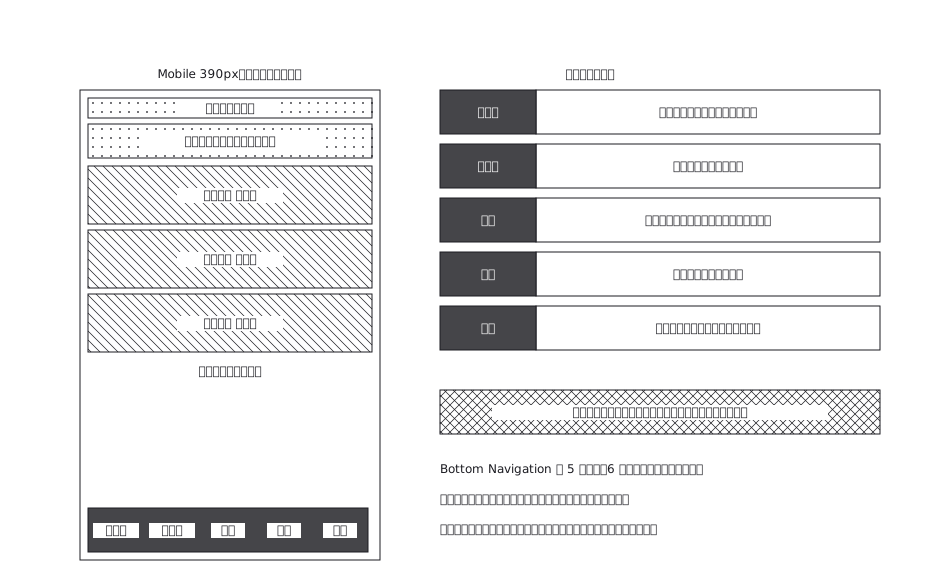 A mobile app with five bottom navigation tabs, and what each tab holds and where it can go from there
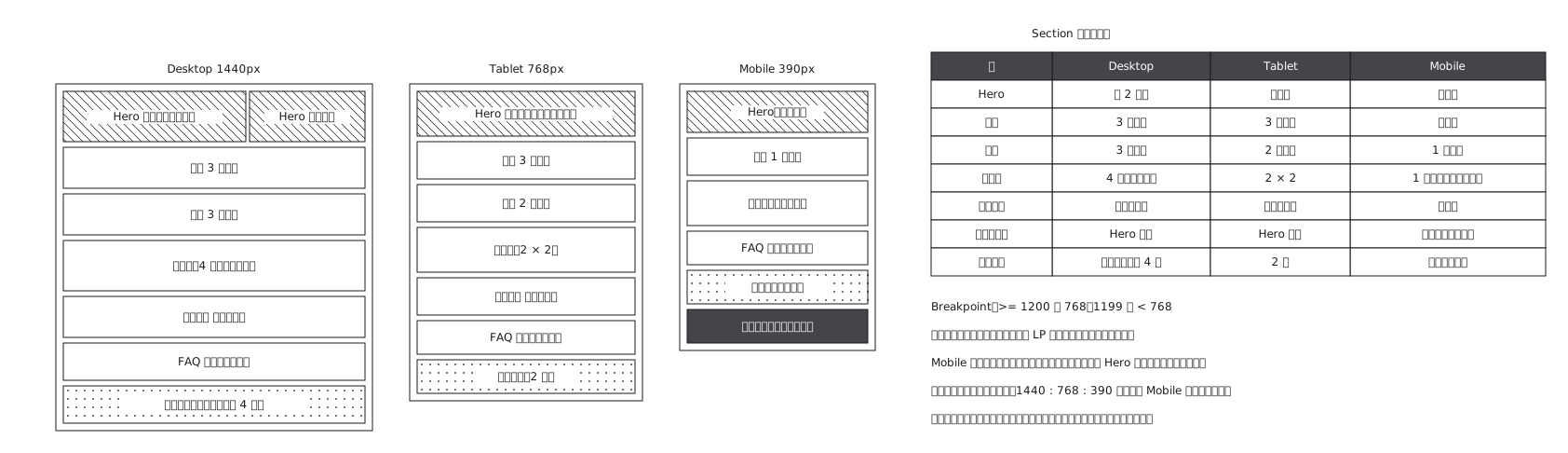 Landing page where sections appear and disappear