UI and screen design
Mobile app UI structure (bottom navigation, 5 tabs)
A mobile app with five bottom navigation tabs, and what each tab holds and where it can go from there
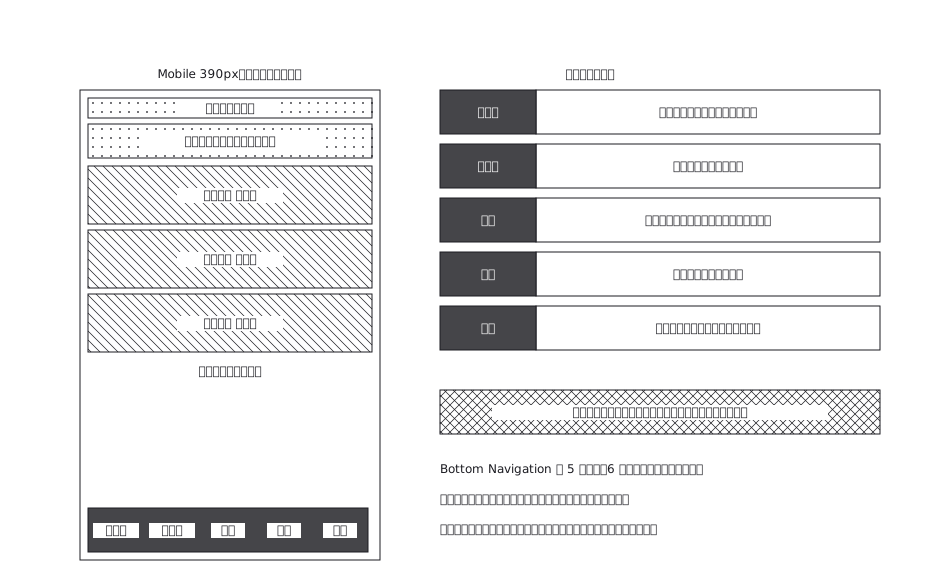
This drawing comes from one YAML file. No shape was moved by hand.
Notes in the source (in Japanese)
完成デザインではなく UI 構造の正本。Bottom Navigation は画面ではなく「常にある枠」なので、どのタブでも下に居座る —— そこが Web の画面遷移と違うところ。
左が「いま選んでいるタブ」の画面、右がタブごとの中身。投稿タブだけはモーダルで、タブを切り替えずにいまの画面の上へ重なって、下からせり上がる(よくある型)。
Source (YAML)
examples/gallery/87-モバイルアプリのUI構造.zumen.yaml
More in this field
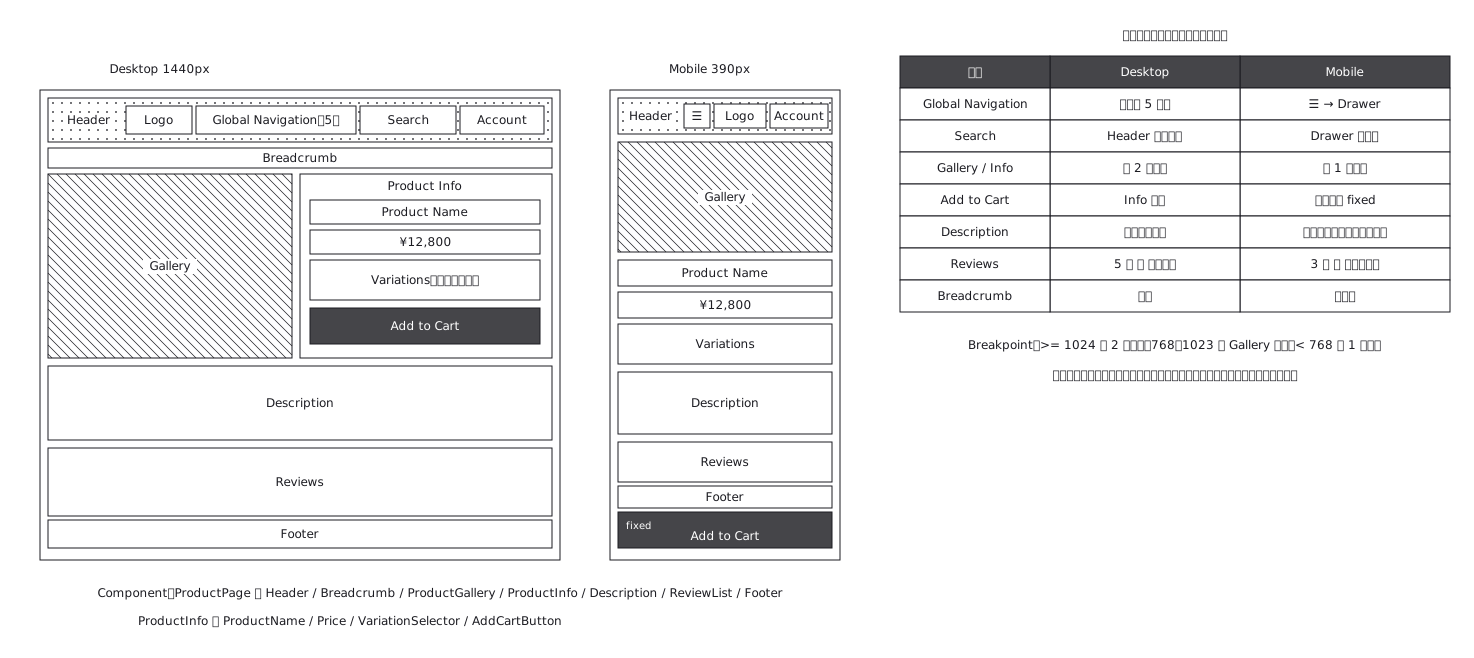 Product page structure, desktop against mobile
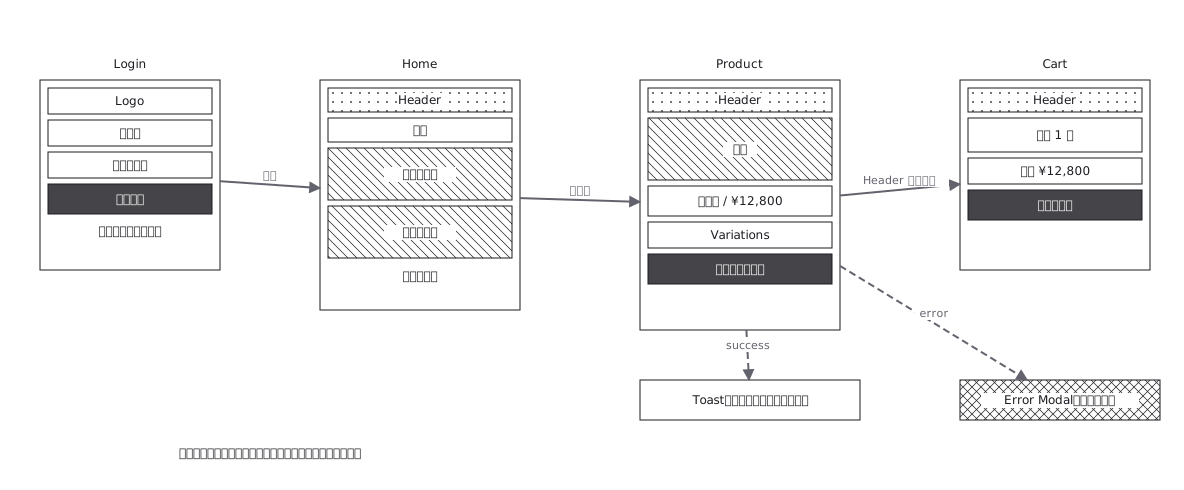 Screen flow with the wireframes drawn in
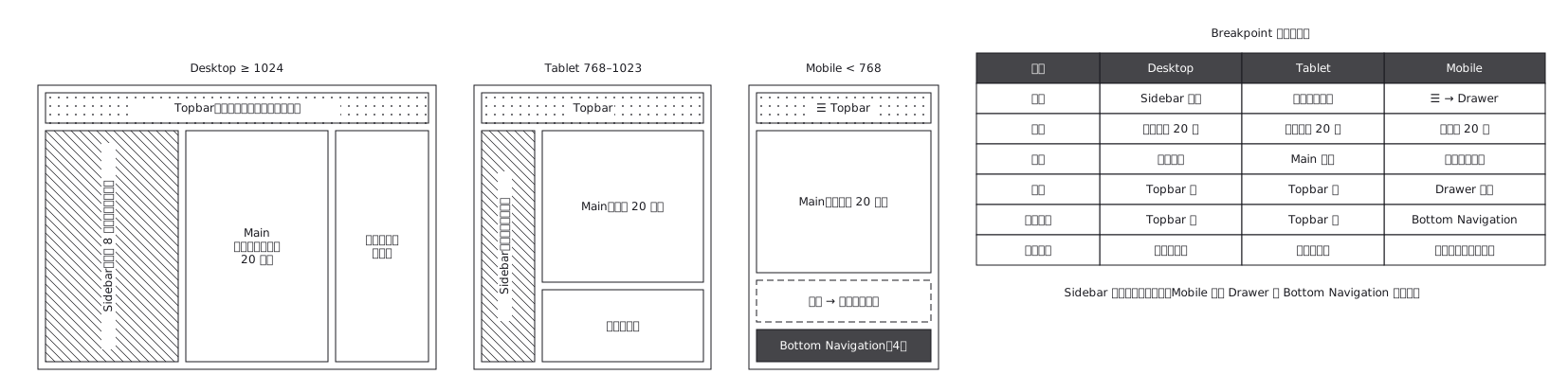 The same admin screen at desktop, tablet and mobile, where the sidebar turns into a drawer rather than simply shrinking
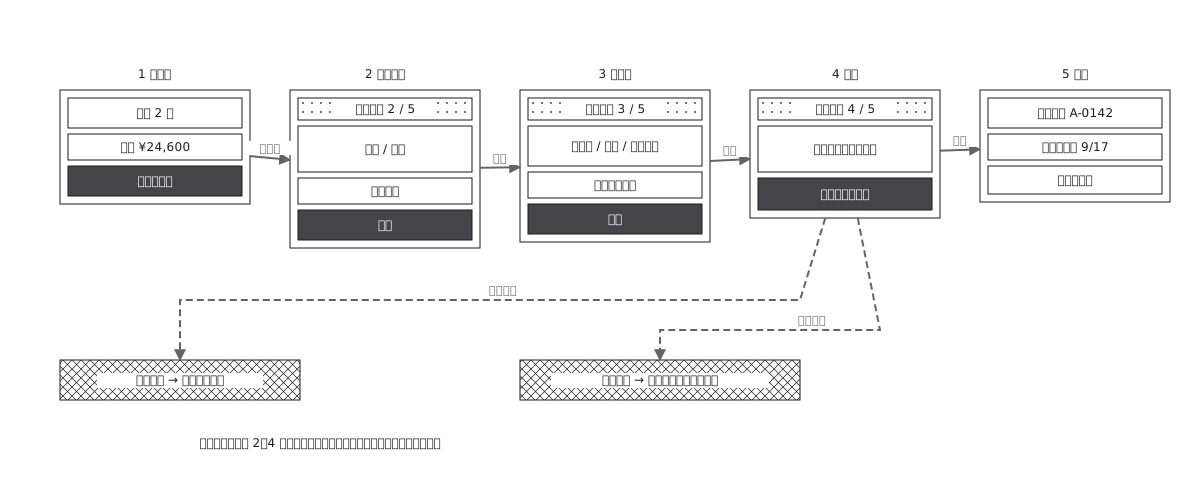 Checkout flow, five steps and where errors return to
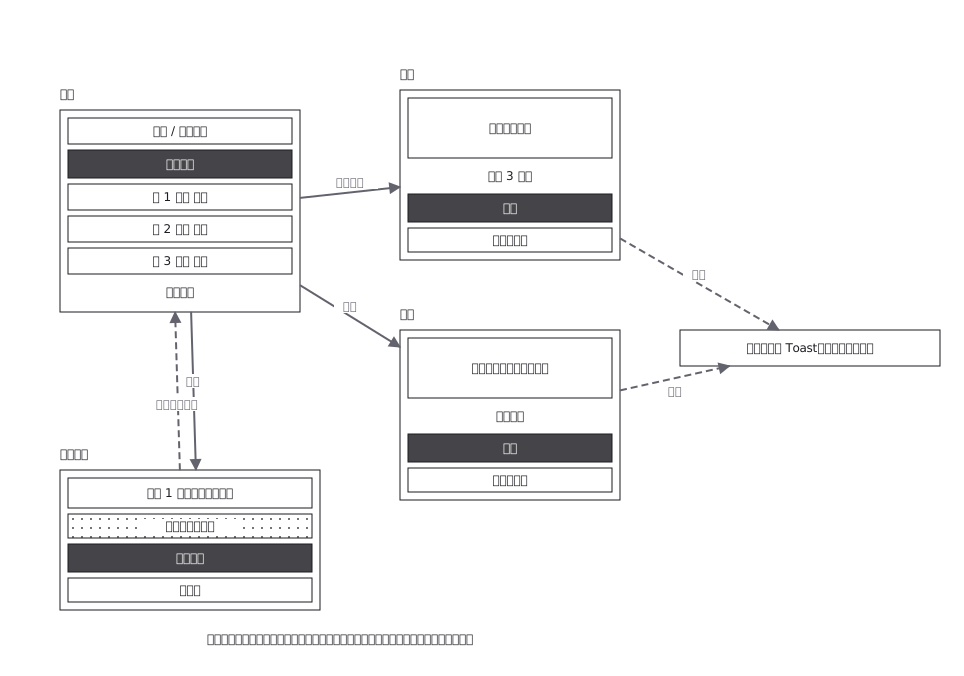 CRUD admin flow: delete goes through a confirmation
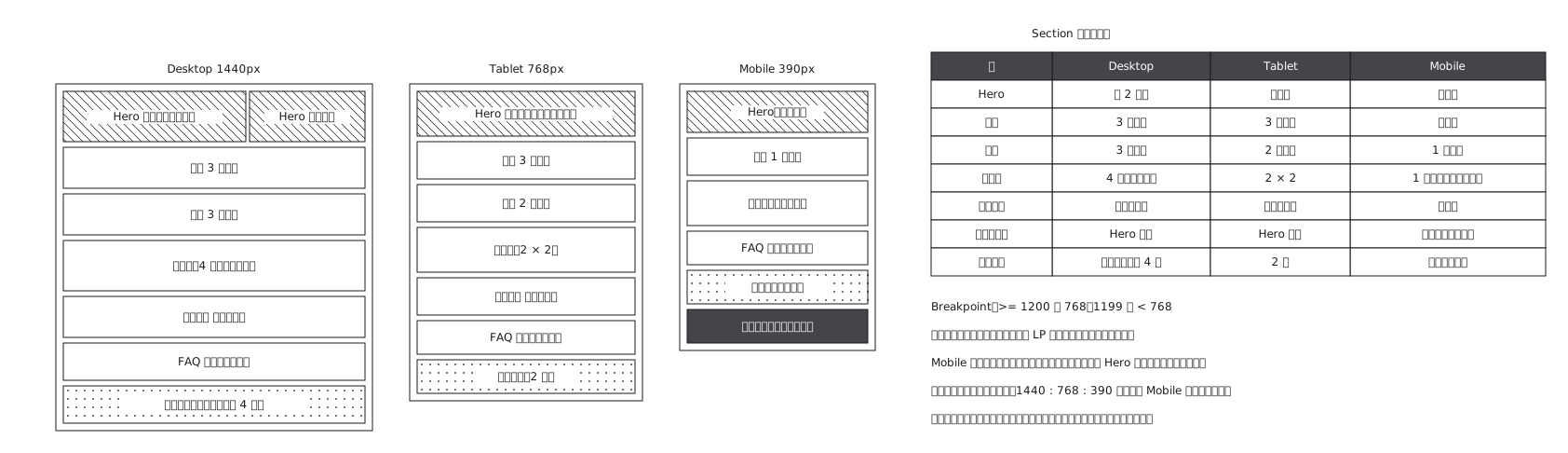 Landing page where sections appear and disappear
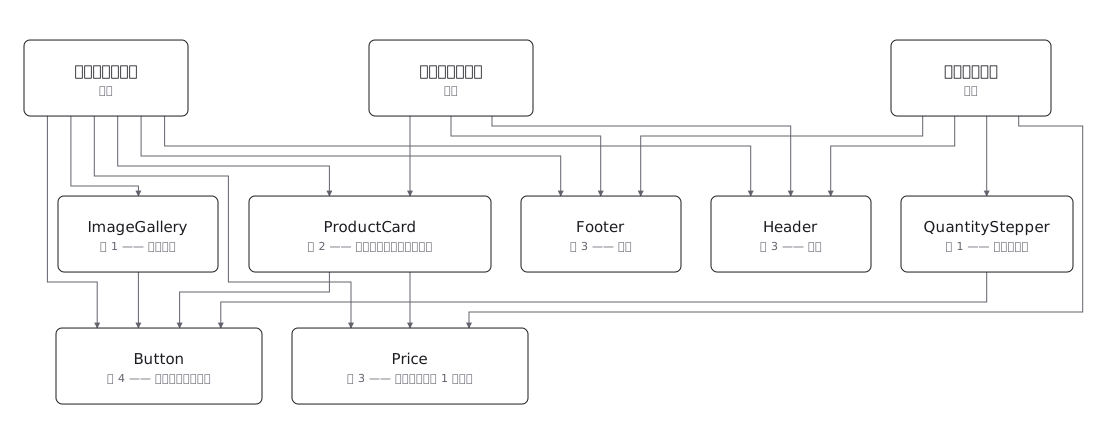 Draw a component tree per screen and the same component keeps reappearing; the real structure is a net, where one component has several parents — and counting those parents is how you tell a shared component from a screen-specific one before you change it