UI and screen design
Landing page UI structure (sections change across Desktop / Tablet / Mobile)
Landing page where sections appear and disappear
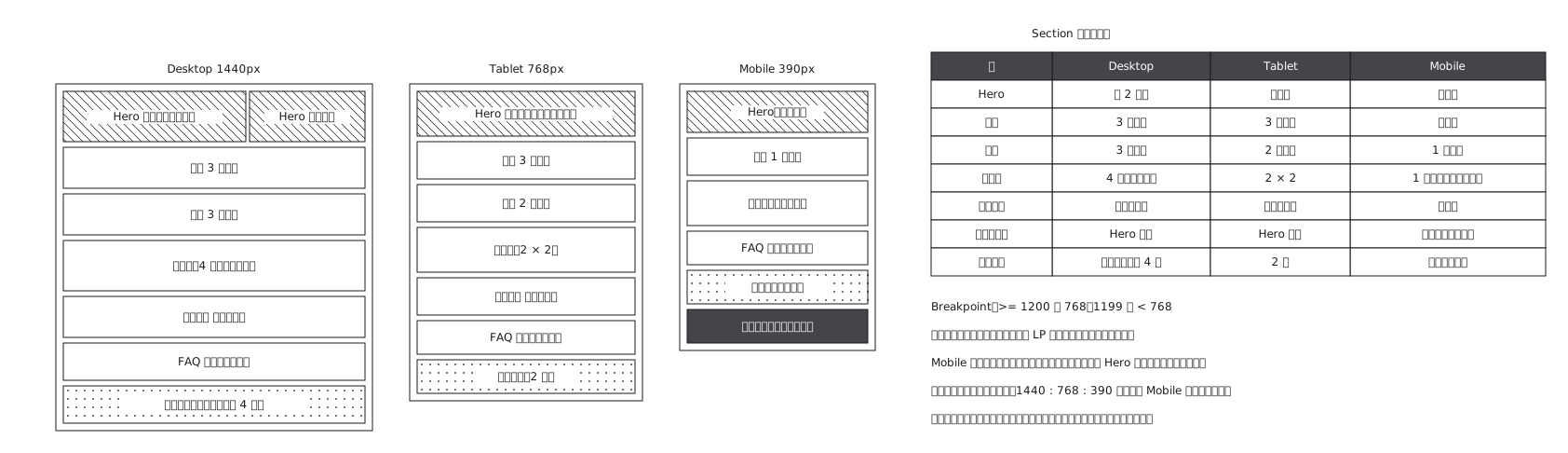
This drawing comes from one YAML file. No shape was moved by hand.
Notes in the source (in Japanese)
完成デザインではなく UI 構造の正本。右の表が主役 —— 絵を 3 枚並べるだけでは、何が変わるか言えない。レスポンシブは縮小ではなく、節そのものが消えたり増えたりすること。
LP は上から下へ読む 1 本道なので、節の順序そのものが情報。管理画面のように「どこから見てもよい」画面と違い、並べ替えると言いたいことの順序が変わる ——Mobile で節を入れ替えるなら、それは見た目ではなく話の順の変更。
消えた節は、表に書かないと実装側が困る。絵からは「消えたのか、下へ行ったのか」が読めない。
Source (YAML)
examples/gallery/88-レスポンシブLPのUI構造.zumen.yaml
More in this field
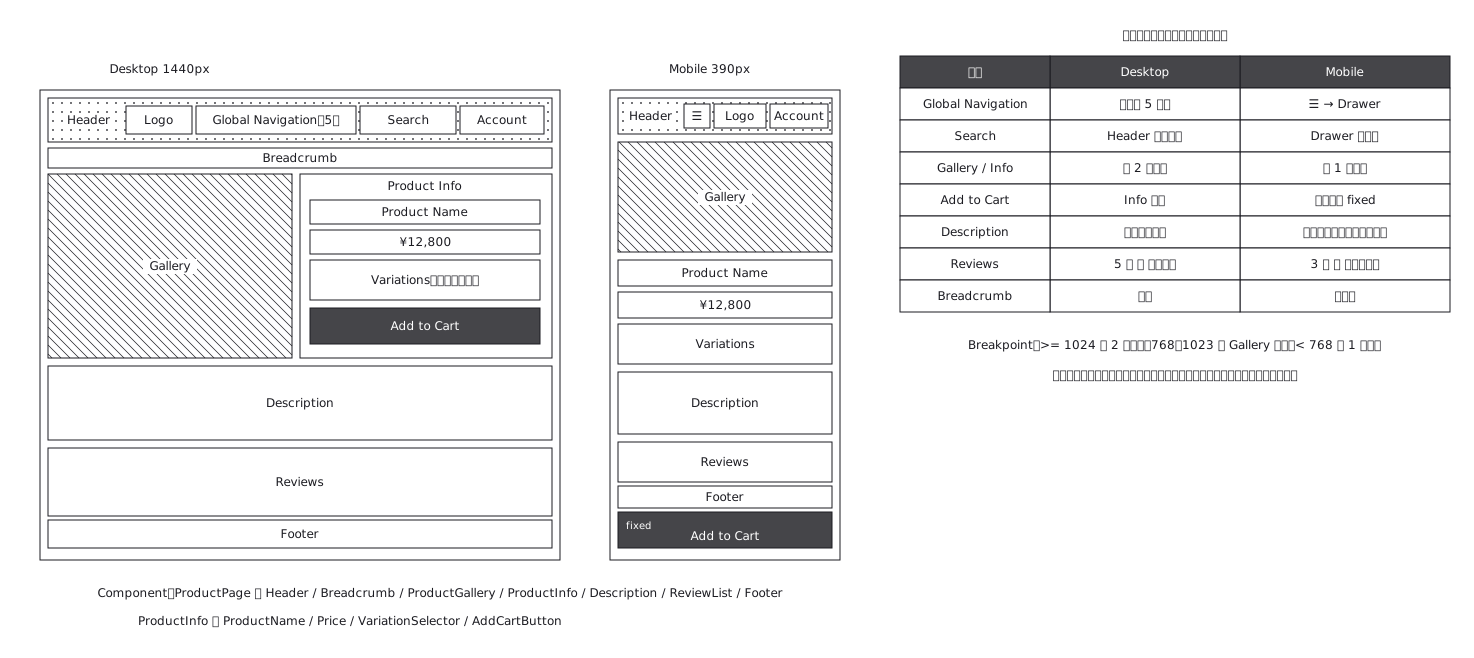 Product page structure, desktop against mobile
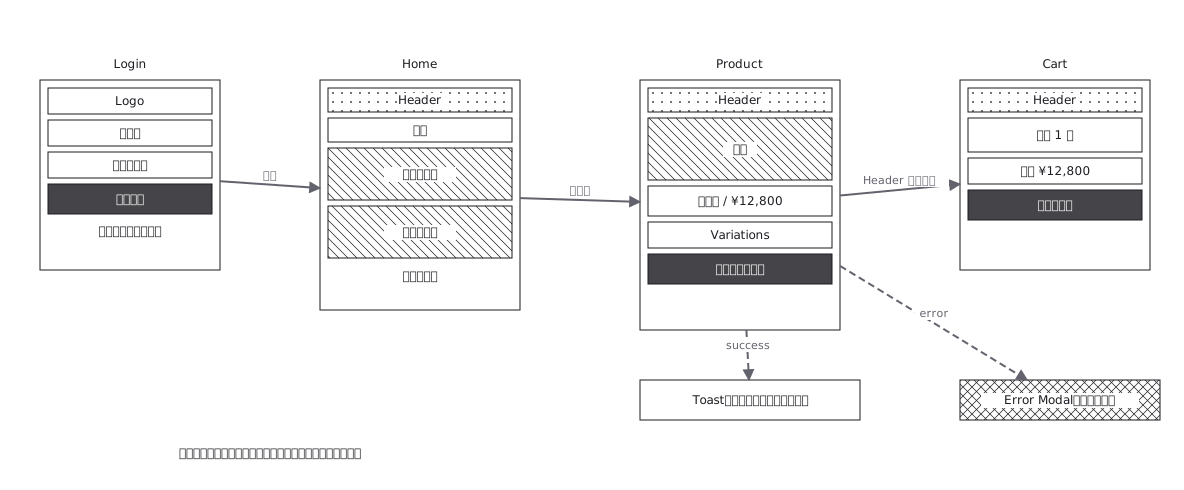 Screen flow with the wireframes drawn in
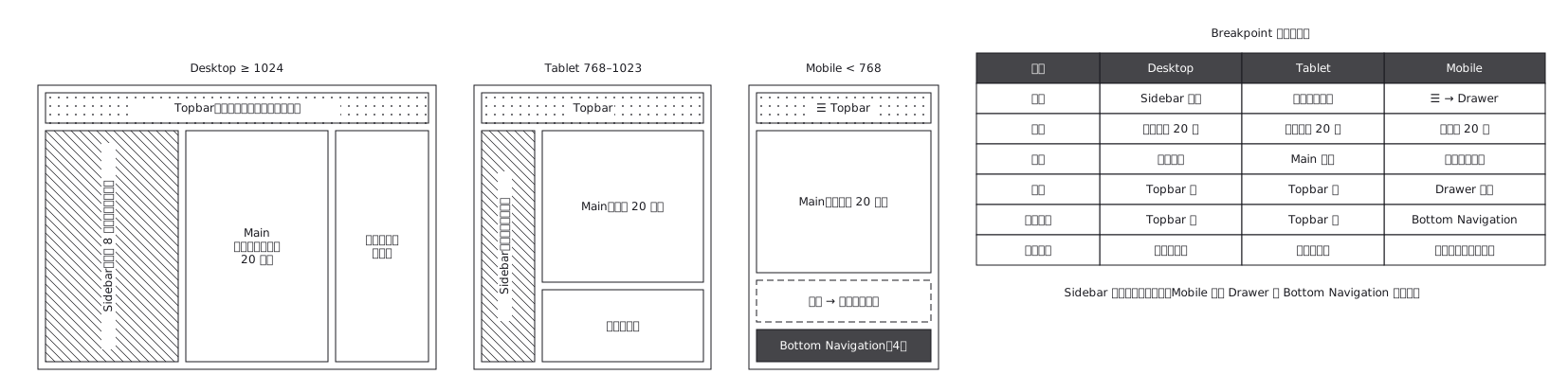 The same admin screen at desktop, tablet and mobile, where the sidebar turns into a drawer rather than simply shrinking
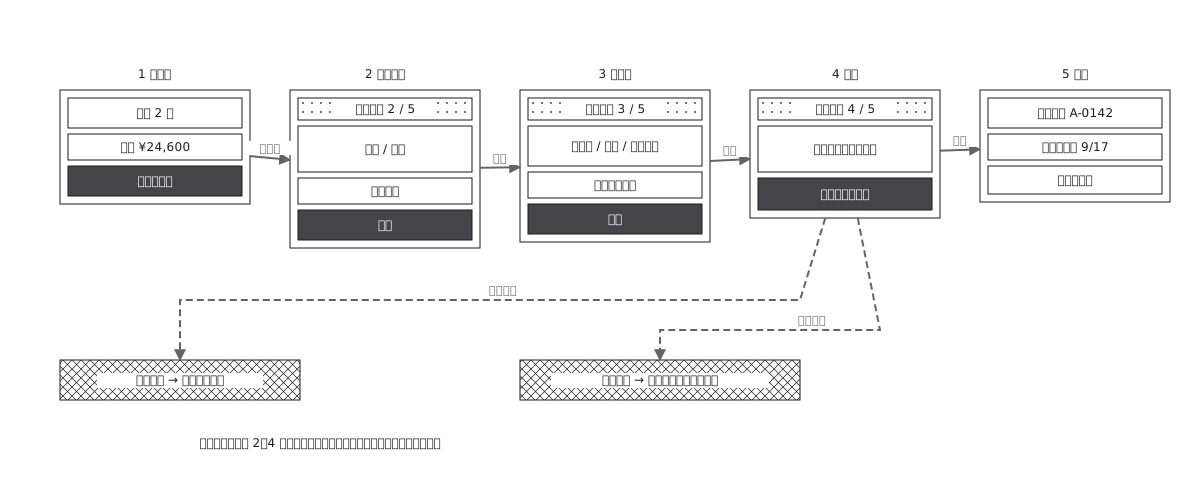 Checkout flow, five steps and where errors return to
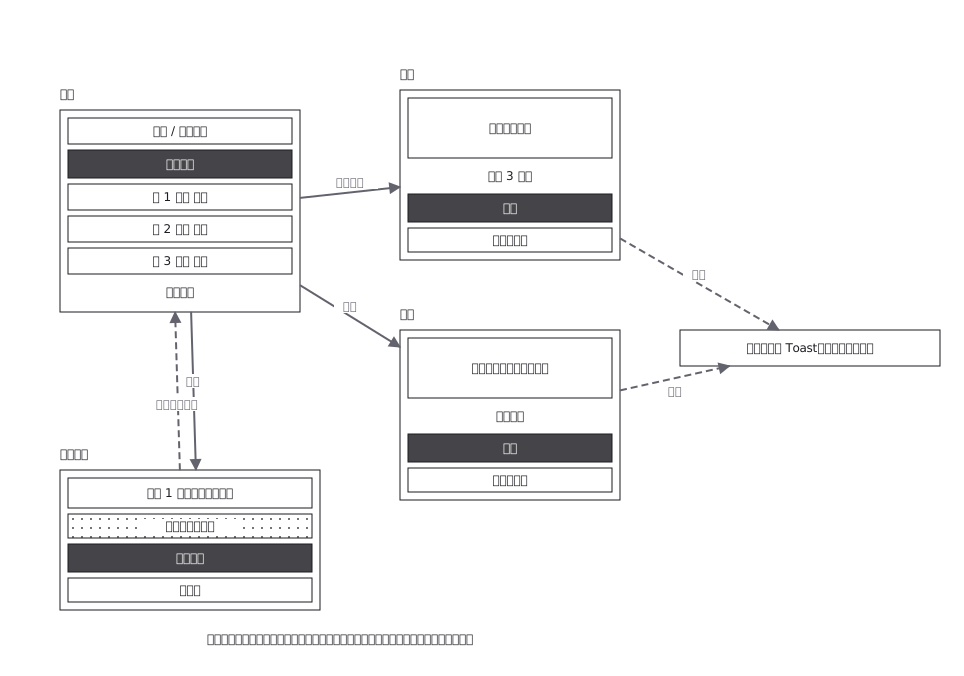 CRUD admin flow: delete goes through a confirmation
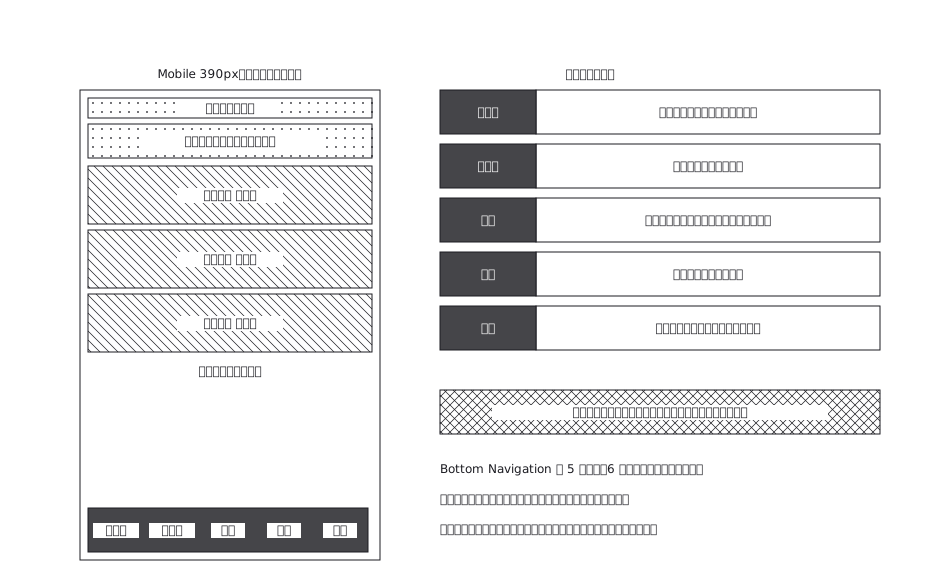 A mobile app with five bottom navigation tabs, and what each tab holds and where it can go from there
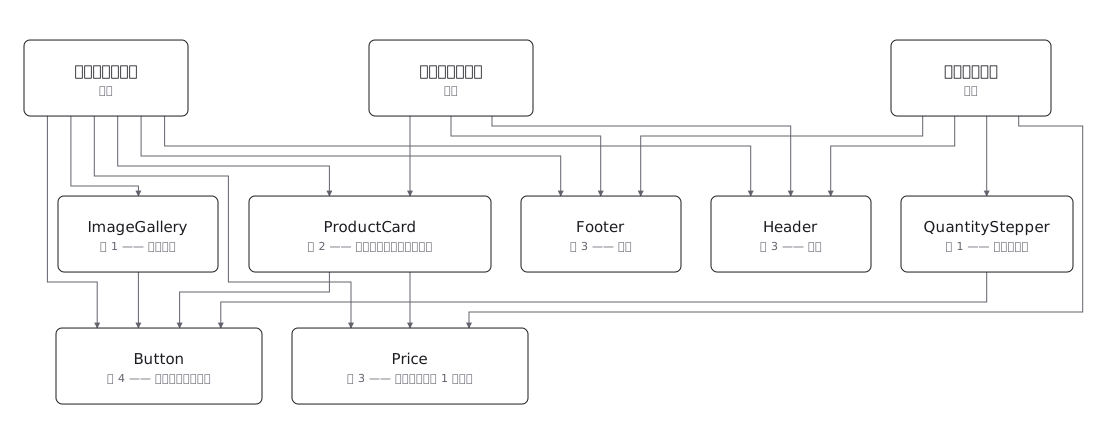 Draw a component tree per screen and the same component keeps reappearing; the real structure is a net, where one component has several parents — and counting those parents is how you tell a shared component from a screen-specific one before you change it